#1 Free Field Service Management Software
Manage and track your field jobs, employees, technicians, and contractors with the best field service management software.
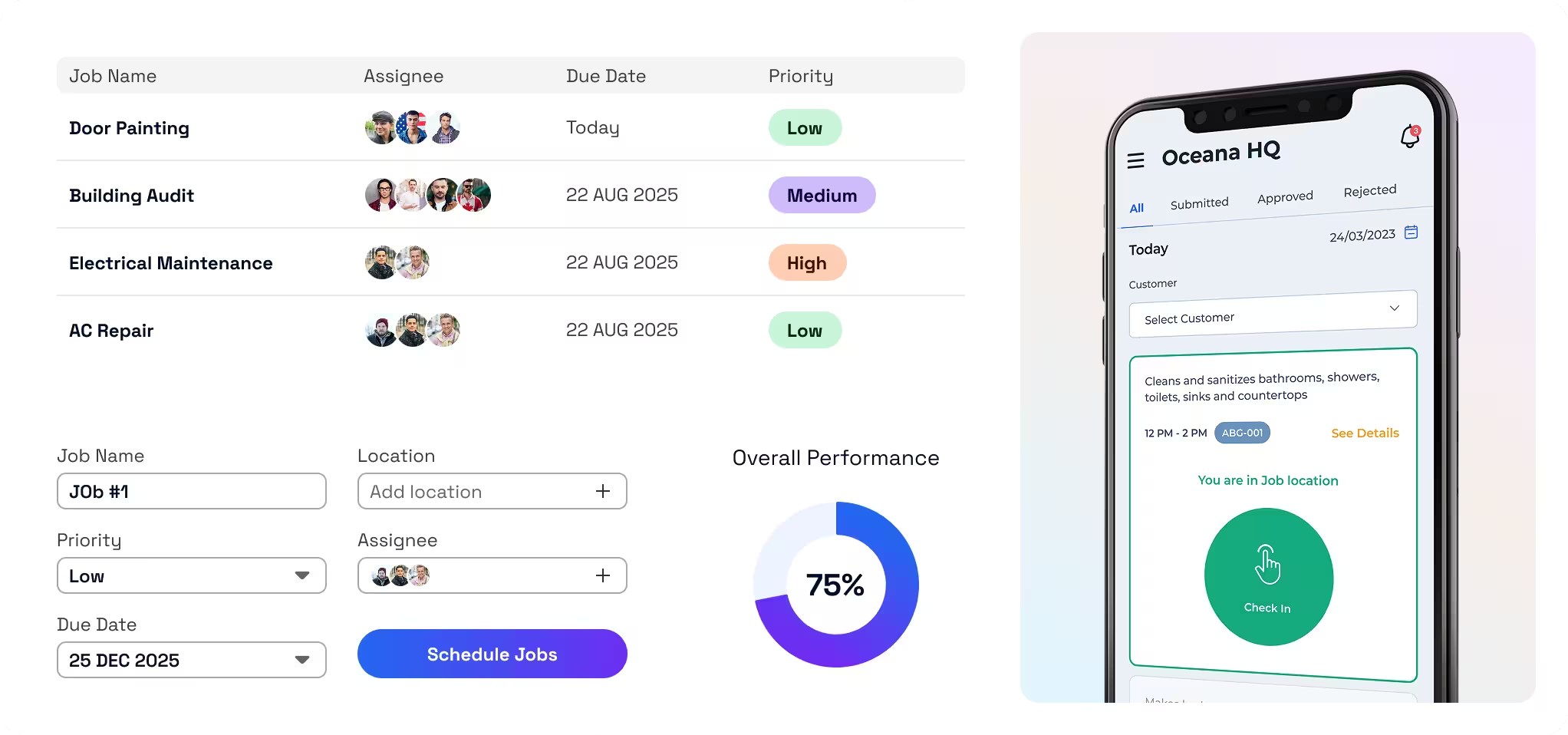
Boost Profits. Reduce Stress. Simplify Your Field Operations.
Live Location Tracking
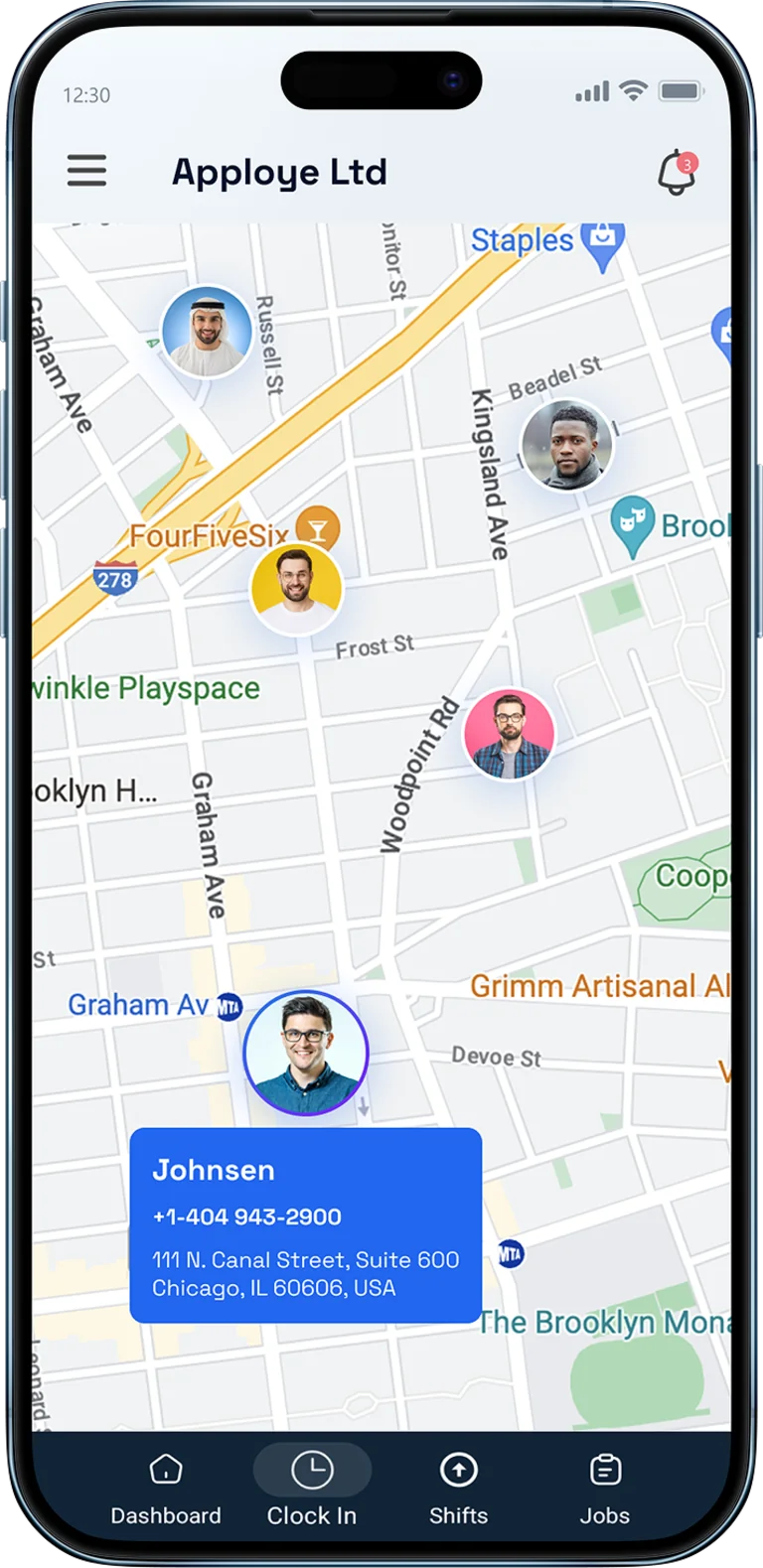

The Complete Field Management Service App to Power Your Business
Unify your office and field technicians with the best FSM solution for faster growth and better performance.
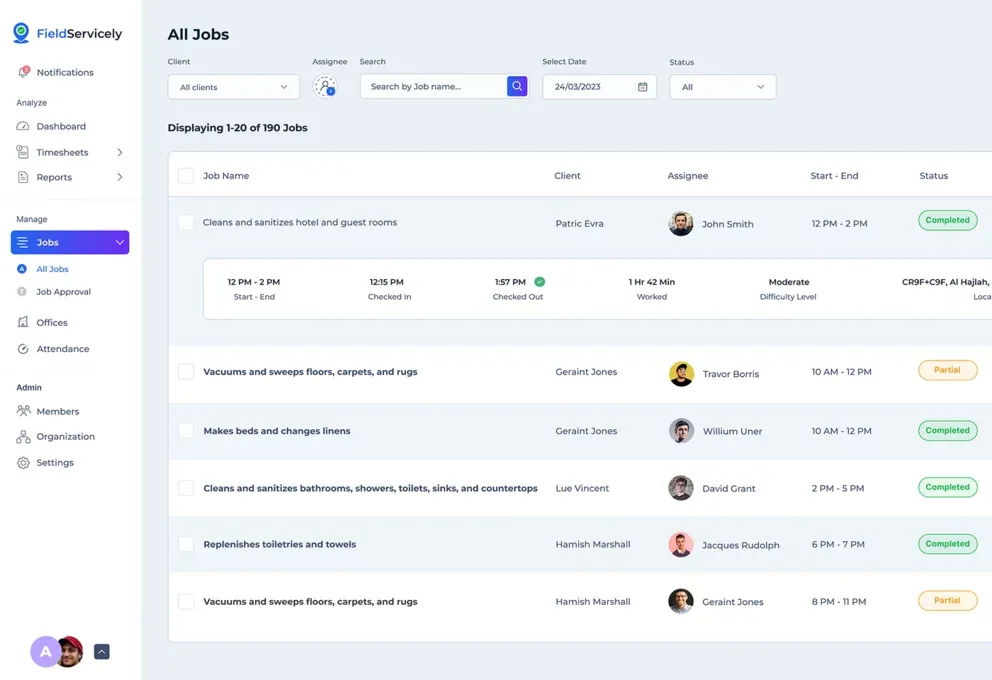
Stay Organized and On Schedule with Smart Job & Task Management
Know exactly where to be, what to do, and when to do it. Minimize delays, eliminate confusion, and maximize productivity with the best field service management scheduling and dispatch software.

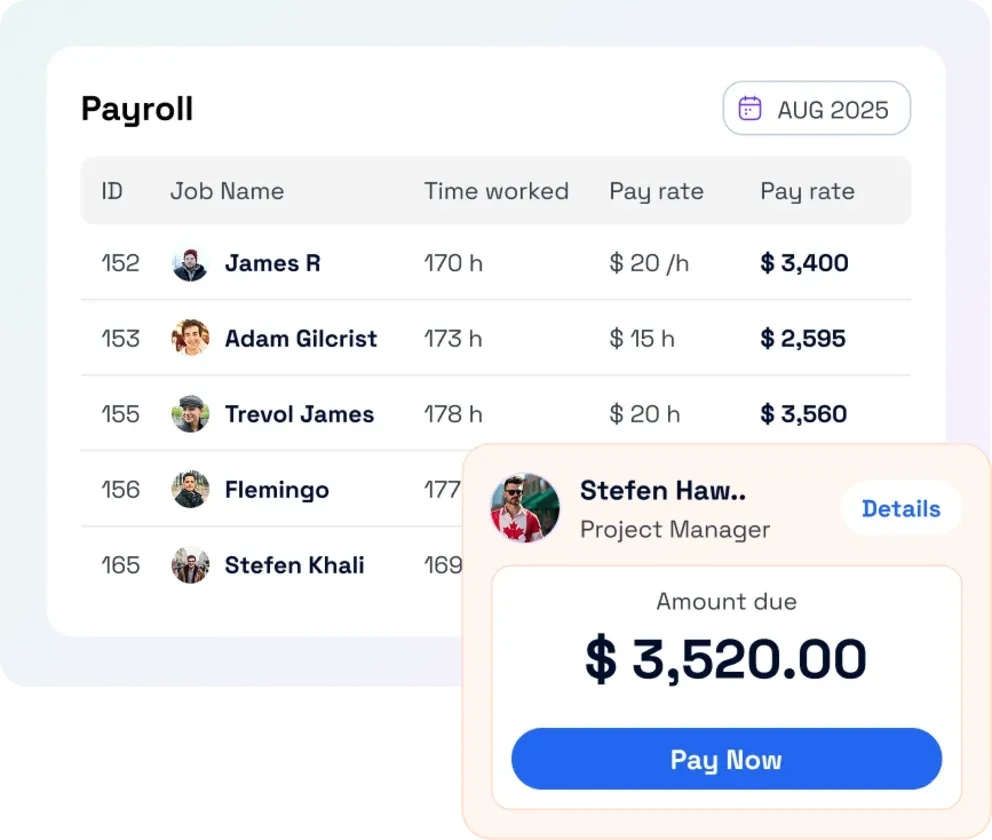
Get Paid Faster with Auto-Invoicing & Payroll
No more manual billing delays and payroll mistakes. Simplify your payment process and send accurate invoices instantly right from the web-based field service business management software.
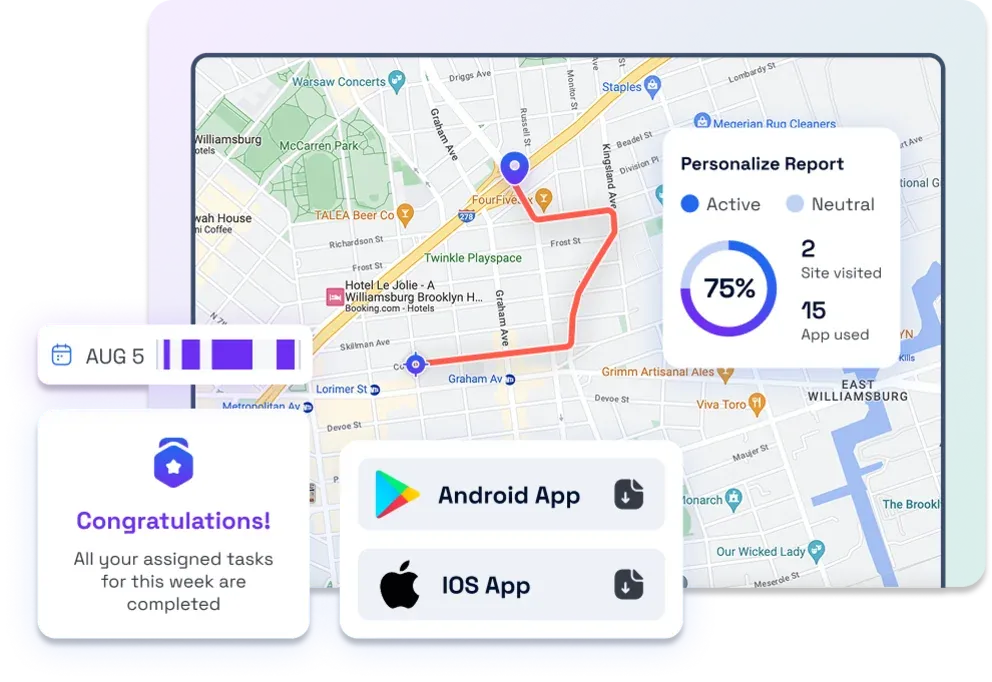
Boost Team Performance with Detailed Field Reports & Insights
Get the full potential of your field service operations. Identify trends, track technician performance, and optimize resource allocation in real time.
The Only Field Service Management Platform for Every Scenario
Run Your Entire Business from One Place
From job scheduling to payroll and invoicing, unify your operations so your office team can manage more with less effort.
Make Faster & Better Decisions
Get real-time insights into technician activity, job progress, feedback, and payroll. Adjust resources on the fly, improve planning, and stay ahead of issues.
Stay in Control as Your Business Grows
Monitor time tracking, timesheet approvals, attendance trends, and payroll history on Powerful dashboards and detailed reports.

Do More Jobs in Less Time
Assign the right technician to right job, reducing drive time and increasing how many jobs get done each day.
Get Job Details Instantly
With the mobile field service management software, you’ll always know where to go, what to do, and who to contact.
Work Smoothly, Even Offline
Whether online or off, technicians always have access to job details, customer info, and payments, so no work gets delayed by poor signals.
Know Exactly What’s Happening
Your team sees real-time job status and technician activity in one place, so you can quickly keep customers informed about who’s coming, when, and what’s happening on the job.
Easy Approvals and Payments
Technicians and office staff can capture work details, add costs, and generate invoices as soon as a job is done—helping you get approvals and payments moving faster.
Earn Trust with Every Interaction
Accurate schedules, GPS-backed tracking, and organized job history help your team show up on time and prepared, giving customers a smooth, professional experience from first call to final invoice.
See FieldServicely in Action
Just schedule a demo and see how FieldServicely makes field operations and job management smarter, faster, and easier.
INTEGRATIONS
FieldServicely Integrates Seamlessly with Your Favorite Software
Easily connect FieldServicely with your existing tools to automate timesheets, payroll, and simplify field operations.
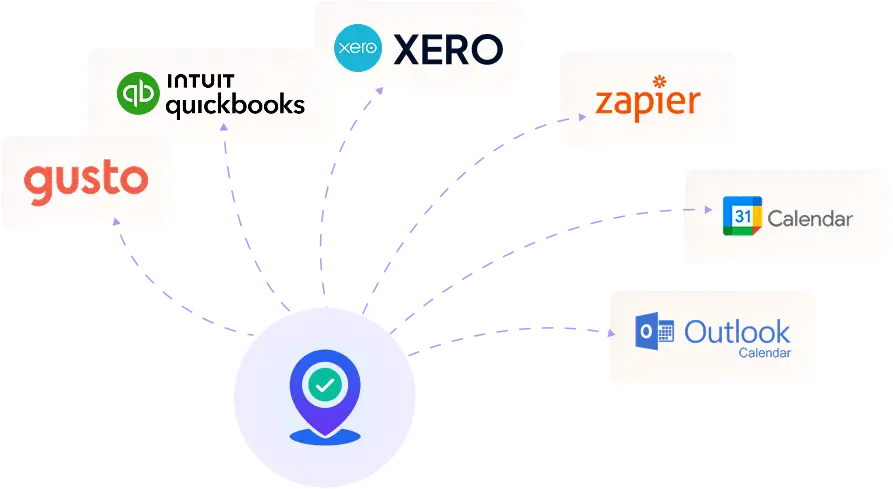
INTEGRATIONS
FieldServicely Integrates Seamlessly with Your Favorite Software
Easily connect FieldServicely with your existing tools to automate timesheets, payroll, and simplify field operations.
INTEGRATIONS
FieldServicely Integrates Seamlessly with Your Favorite Software
Easily connect FieldServicely with your existing tools to automate timesheets, payroll, and simplify field operations.
INDUSTRIES
Built for the Teams Who Value Time & Productivity
HVAC • Plumbing • Electrical • Handyman • Mechanical Services
Manage high-volume jobs with organized scheduling, real-time visibility, and accurate job documentation.
- Job creation & technician assignment
- Real-time GPS tracking & route history
- Geofenced attendance with check-in selfies
- Job evidence capture (photos, audio, notes)
- Timesheet automation & payroll
- Instant invoicing from completed jobs

reviews
Why Top Field Service Teams Choose Us
Try FieldServicely for Free
Start Managing Your Field Team Smartly
No credit card required
Simplify Field Operations & Maximize Efficiency
Real-Time Field Service Job Management Solution for Smarter Decisions
A feature-rich platform transforming how your team operates in the field.
Utilize Technicians More Efficiently
Take full charge of dispatching, tracking, and outcomes. Let's create a data-driven environment for growth.
- Create jobs, assign tasks, and track progress in real time.
- Know where the team is live and optimize dispatch based on location and route history.
- Quick scheduling and route planning for peak efficiency.


Total Accountability for Field Teams
Cloud-based time clocks, geofencing, and check-ins ensure transparency without micromanaging your team.
- Clock in/out only at job sites or the office.
- Track live movement and past routes for insights.
- Technicians submit photos/audio; managers approve tasks on the go.

Hit Deadlines & Simplify Billing - All in One App
Simplify your entire field operation from job completion to cash collection.
- Auto-fill logs, manual adjust, then approve/reject.
- Payroll is calculated automatically based on hours & rates.
- Issue invoices, include taxes or discounts, and integrate with accounting tools.

Actionable Reporting for Technician Tasks
Gain clarity on performance and costs using insightful dashboards and robust reporting.
- See job counts, late arrivals, and tech performance at a glance.
- Analyze trends, customer history, time logs, and expenses outside the app.
Manage Your Field Service Business from Anywhere, Anytime
Stay connected to field operations from any device - desktop, Android, or iOS.
- Field staff can check in, submit evidence, receive dispatches, and chat in real-time.
- Continue work without connectivity and data syncs later when back online.

The Ultimate Guide for Field Service Management App
This guide answers all your questions and queries on field service management solutions. Get a firm grasp on field employees management and performance optimization techniques for your entire team.
The Ultimate Guide to Field Work Management Software
|
FieldServicely
What is field service management software?
Field service management (FSM) software helps businesses manage work outside the office. This includes repairs, installations, and maintenance tasks.
Here's how it works: A company sends workers to fix air conditioners or install Internet connections in homes. FSM software helps them track everything. It schedules jobs, tells workers where to go, and tracks their progress. It keeps customer information in one place.
Benefits of field service management software
Field workforce software helps businesses that send workers to customer locations. This software makes work easier, saves money, and keeps customers happy.
Improved Scheduling and Dispatching
FSM software helps managers assign the right worker to each job. The system looks at who is available, where they are located, what skills they have, and how busy they are. This means workers take the shortest routes to jobs, which saves time and gas money. The computer handles job assignments automatically, so there are fewer mistakes.
Enhanced Productivity
Technicians can use their phones or tablets to see job details, customer information, and checklists from anywhere. They don't need to carry paper forms or write everything by hand. Digital forms reduce paperwork. With access to manuals and remote support, technicians can resolve issues on the first visit more often.
Increased Customer Satisfaction
Customers get real-time updates about when their technician will arrive and how the work is going. This means faster service, and customers know what to expect. The software makes sure all workers follow the same steps, so service quality stays consistent. This builds trust with customers.
Asset and Inventory Management
Companies can track their tools and parts in real-time. This means less downtime and lower costs for storing extra inventory. Technicians are more likely to bring the right equipment to each job, speeding up work and reducing delays.
Better Compliance and Documentation
The software keeps digital records of all work done, safety checks, and rule compliance. Workers can take photos and get customer signatures right on their mobile devices. This creates proof that work was completed properly.
Smart Business Decisions
Technician management software provides reports and data analysis. Businesses can see how well their workers are performing, what customers think, and plan for future needs. This helps with scheduling, buying equipment, and preventing problems before they happen.
Lower Costs
Better route planning reduces fuel and travel costs. Automated processes like scheduling and billing cut down on office work. When technicians perform better and get real-time help, there's less need to redo work or fix broken equipment.
Integration Capabilities
FSM software connects easily with other business systems like accounting, customer communication, and equipment monitoring. This lets different departments share information smoothly. When the software connects to billing systems, companies get paid faster because the payment process is automatic.
Common features of top field service management platforms?
Mobile workforce management software is designed to help businesses manage and optimize their field operations. This includes tasks such as scheduling, dispatching, real-time tracking, and reporting.
Here are the common features of FSM software:
1. Work Order Management
- Create, assign, and track work orders.
- Link jobs with customer accounts and service history.
- Update work orders in real-time.
2. Scheduling and Dispatching
- Drag-and-drop tasks for easy scheduling jobs for field workers.
- Real-time technician availability and location tracking.
- Automated dispatching based on skill set, availability, and location.
3. Mobile Access
- Mobile apps for technicians to receive jobs, update statuses, and capture data (photos, signatures, notes).
- Offline functionality to ensure continuity in areas with poor connectivity.
4. GPS Tracking and Route Optimization
- Real-time GPS tracking of field personnel.
- Optimized routing to reduce travel time and fuel costs.
5. Inventory Management
- Track parts and supplies in real-time.
- Manage inventory levels in vehicles and warehouses.
- Automatic reordering based on stock thresholds.
6. Customer Management (CRM)
- Store customer information and service history.
- Access communication logs and preferences.
- Automated notifications and reminders.
7. Payroll and Invoicing
- Generate payroll and invoices on-site.
- Integrate with accounting systems.
8. Reporting and Analytics
- Dashboards for KPIs such as job completion rate, technician efficiency, etc.
- Customizable reports for decision-making and compliance.
9. Integration Capabilities
- Sync with ERP, CRM, HR, and accounting software.
- API access for custom integrations.
10. Self-Service Portal
Allow schedule appointments, view job status, and communicate with technicians.
11. Time Tracking and Timesheets
- Monitor time spent on jobs and travel.
- Integrate with payroll systems for efficient labor cost tracking.
Who needs field service management software solutions?
Field operations software helps businesses that send workers to different locations. These workers fix things, install equipment, or provide services outside the office. Here are the types of businesses that need FSM software:
1. Service-Based Businesses
Service business companies whose core offering involves sending workers or technicians to customer sites.
Examples:
- HVAC services
- Plumbing companies
- Electrical contractors
- Appliance repair services
- Pest control companies
2. Utilities and Energy Providers
These companies often have field technicians servicing infrastructure like power lines, gas pipelines, or solar panels.
Examples:
- Electric and gas utilities
- Water treatment facilities
- Solar energy companies
- Telecommunications providers
3. Facilities and Property Management
FSM helps manage maintenance tasks, inspections, and repairs across various locations.
Examples:
- Commercial property managers
- Building maintenance services
- Hotel and hospitality maintenance teams
- Educational institutions
4. Manufacturing and Industrial Services
Field techs often service or install equipment at customer or partner locations.
Examples:
- Industrial equipment suppliers
- Machinery installation and servicing firms
- OEMs (original equipment manufacturers)
5. Healthcare and Medical Equipment
Field service is required for maintaining or repairing critical medical equipment.
Examples:
- Medical device service companies
- In-home healthcare providers
- Mobile medical diagnostics
6. IT and Technology Services
For organizations that install, maintain, or repair IT systems, networks, or hardware.
Examples:
- Managed IT service providers (MSPs)
- Telecom installation companies
- Security and surveillance system installers
7. Construction and Engineering
FSM helps track resources, schedule inspections, and manage compliance.
Examples:
- General contractors
- Engineering firms with field inspectors
- Surveying companies
8. Municipalities and Government Agencies
Public sector organizations managing infrastructure or maintenance use FSM to improve efficiency.
Examples:
- Public works departments
- Transportation and infrastructure agencies
- Housing authorities
Differences between CRM and FSM?
CRM (Customer Relationship Management) helps companies manage their customers. It tracks customer information, sales deals, and marketing campaigns. Sales teams use CRM to follow up with potential customers. Support teams use it to handle customer service calls. The main goal is to build better relationships with customers and grow the business.
FSM (Field Service Management) is different. It helps companies manage workers who go out to job sites. These workers might fix equipment, install products, or provide services at customer locations. FSM helps schedule these jobs, send the right worker to each site, and track what work gets done.
The key difference is where the work happens. CRM is mainly for office workers who deal with customers by phone, email, or online. FSM is for managing workers who travel to different locations to do hands-on work.
Does a free field service business management app work?
Free field service management software helps schedule optimization, send workers to jobs, create work orders, and talk to customers at zero cost. Free software offers basic features and functionalities. You might only be able to add a few users or use certain features. But these free versions are still good for small businesses.
Cost for field workforce software
Most field service software charges monthly fees for each user. Basic plans cost $18-$50 per technician each month. Mid-level plans cost $80-$150. Enterprise plans can cost $150-$300 or more per user. Many platforms even charge $100-$450 total per month.
But, FieldServicely is different. It costs only $9 per user per month. It also offers a completely free version that includes all the main FSM features you need: job scheduling, GPS tracking, invoicing, timesheets, payroll, mobile apps, geofencing, work order management, and dispatch features.
Reasons companies use a cloud-based field service management platform
Companies should use field service management apps to make their work easier. These apps help schedule jobs, send technicians to the right places, create bills, and let workers talk to each other instantly. This makes everything run smoother, cuts down on paperwork, and reduces mistakes. Customers get better service because technicians respond faster, and companies can track their work better.
Why does your business need FieldServicely?
Here's how FieldServicely can help your business:
Complete Field Operations Automation
FieldServicely brings everything into one platform: job scheduling, dispatching, real-time GPS tracking, route maps, work order management, attendance (with geofencing and selfies), timesheets, payroll, invoicing, and dashboards.
Efficiency & Cost Savings
The system finds the best routes for your workers. This cuts down on travel time and fuel costs.
Automated scheduling reduces waiting time. It helps workers fix problems on the first visit. It also cuts down on manual work for managers.
Location-based attendance reduces time fraud. This makes payroll easier.
Enhanced Workforce Visibility & Compliance
Managers can see where field teams are at all times. They can monitor attendance and approve timesheets with proof. This makes workers more accountable and helps you follow rules.
Better Customer Experience
The system sends automatic updates to customers. It gives accurate arrival times. It creates digital invoices. All of this makes customers happier and more likely to come back.
Scalable & Affordable
FieldServicely offers a free plan. The Standard plan costs about $9 per user per month. The pricing is affordable overall. This makes it perfect for small to medium businesses that want to grow without spending too much.
Made for Field Service Companies
The system is designed for specific industries. These include plumbing, electrical, HVAC, construction, healthcare maintenance, telecom, utilities, and delivery services.
Reports and Business Growth
Built-in dashboards show you important business numbers. You can see how often workers fix problems on the first visit. You can track worker performance, labor costs, billing efficiency, and revenue growth.
Field Service Management App Helps with Dispatching
FieldServicely makes job scheduling simple for managers. They can assign work to technicians based on where they are, what skills they have, and how urgent the job is. Technicians get instant alerts on their phones and can accept jobs right away. The app tracks their location and confirms when they arrive at job sites. Managers can see where everyone is in real-time and quickly send the closest technician to emergency calls. This cuts down on travel time and paperwork while making the whole team faster and more efficient.
FieldServicely handles scaling up
FieldServicely is built to be flexible and uses cloud technology to grow your business. It also has automation features that help as you expand. With features like real-time scheduling, mobile support, and a central dashboard, this FSM system makes sure your business processes stay smooth even as you grow bigger.
