How to schedule office shifts?
Learn how to schedule office shifts
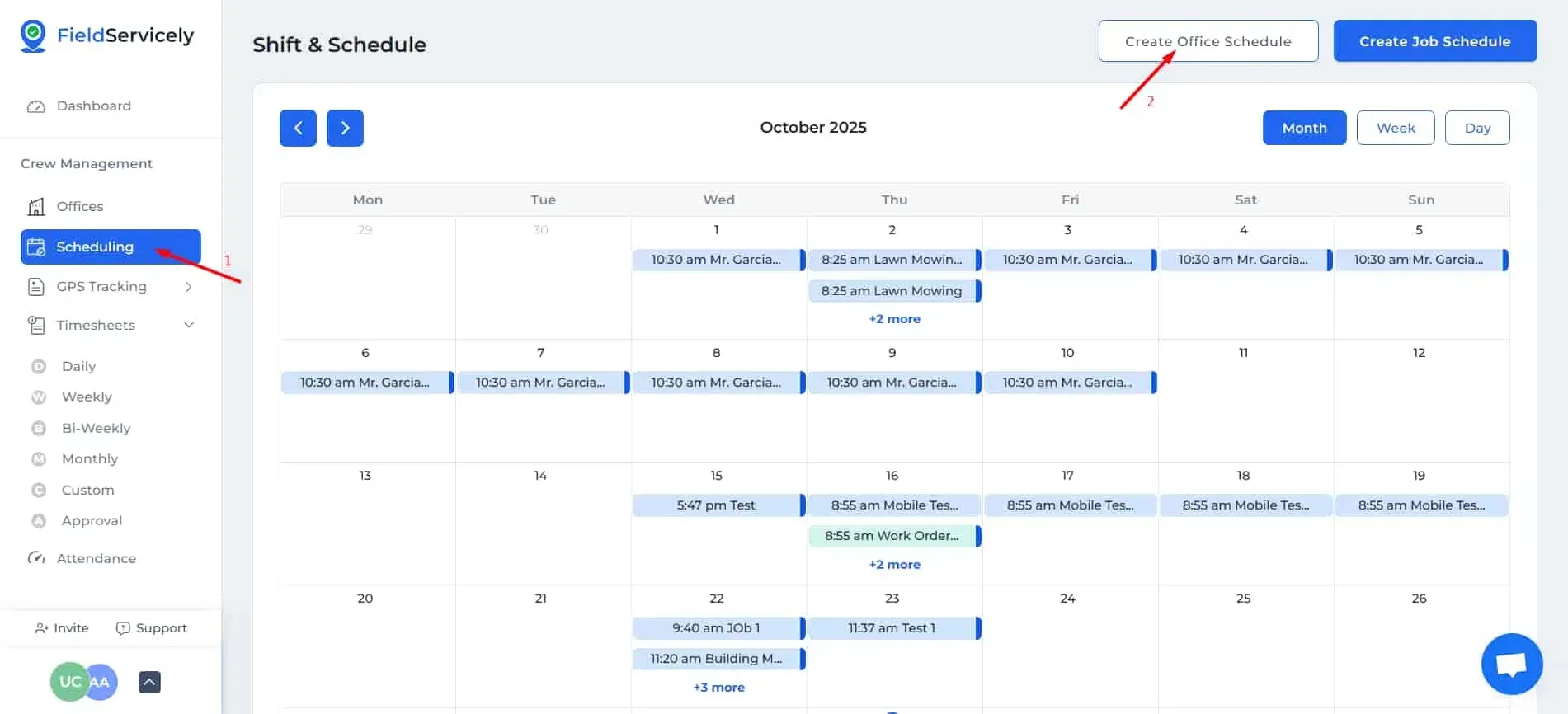
Click on ‘Scheduling’ from the left sidebar, and then on ‘Create Office Schedule’ on the top right above the calendar.
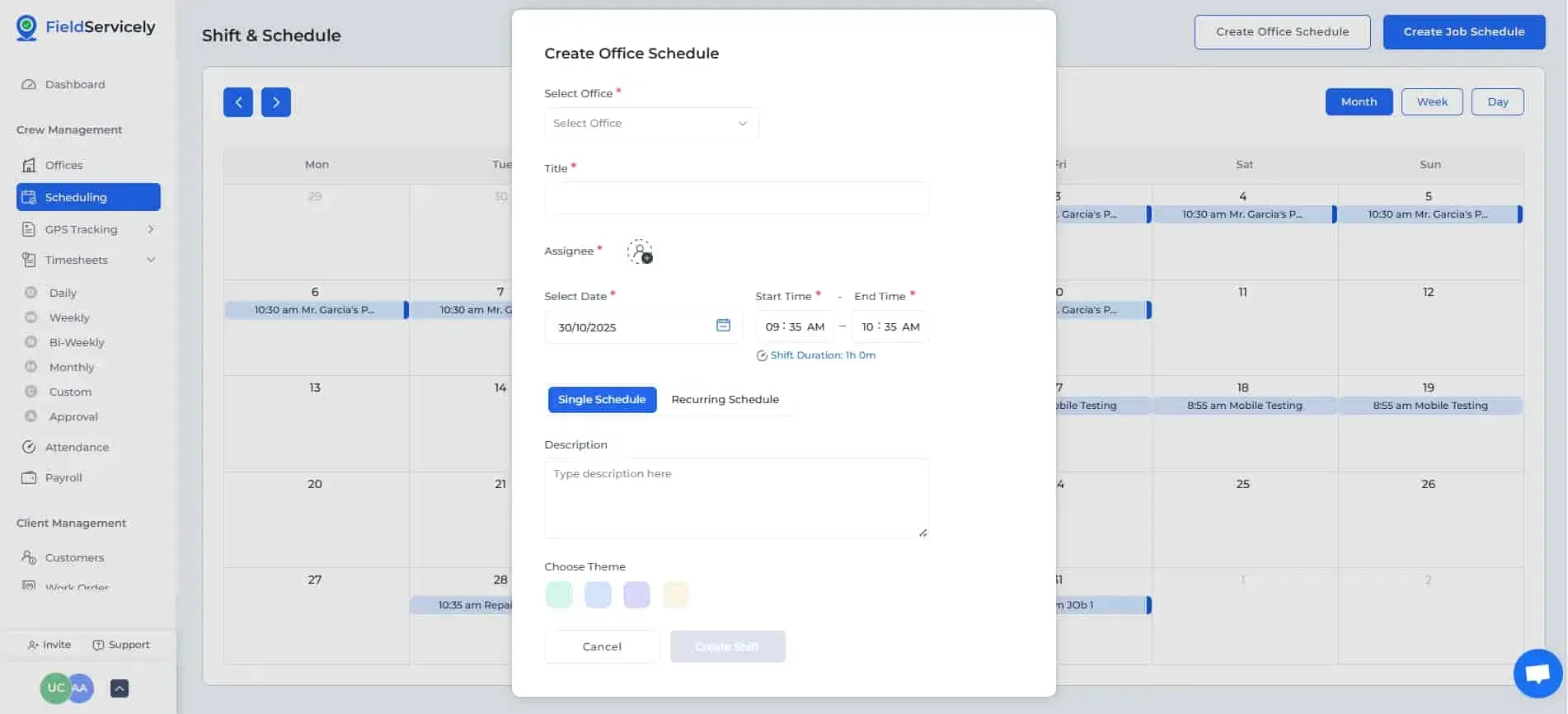
Now:
- Select an Office
- Give a Title
- Choose Assignees
- Choose Date
- Choose a Time Range
- Choose if Single or Recurring Schedule
- If Recurring Schedule,
- Choose how it repeats
- Choose End Date
- Give a Description
- Choose Theme