Job Tracking Software for Field Service Teams
Track Every Job. From Assignment to Completion.
Monitor job progress, check project status, and assign technicians as you need. Track time for every task and stay in control. Turn completed jobs into payroll and invoices from one dashboard.
No Credit Card Required
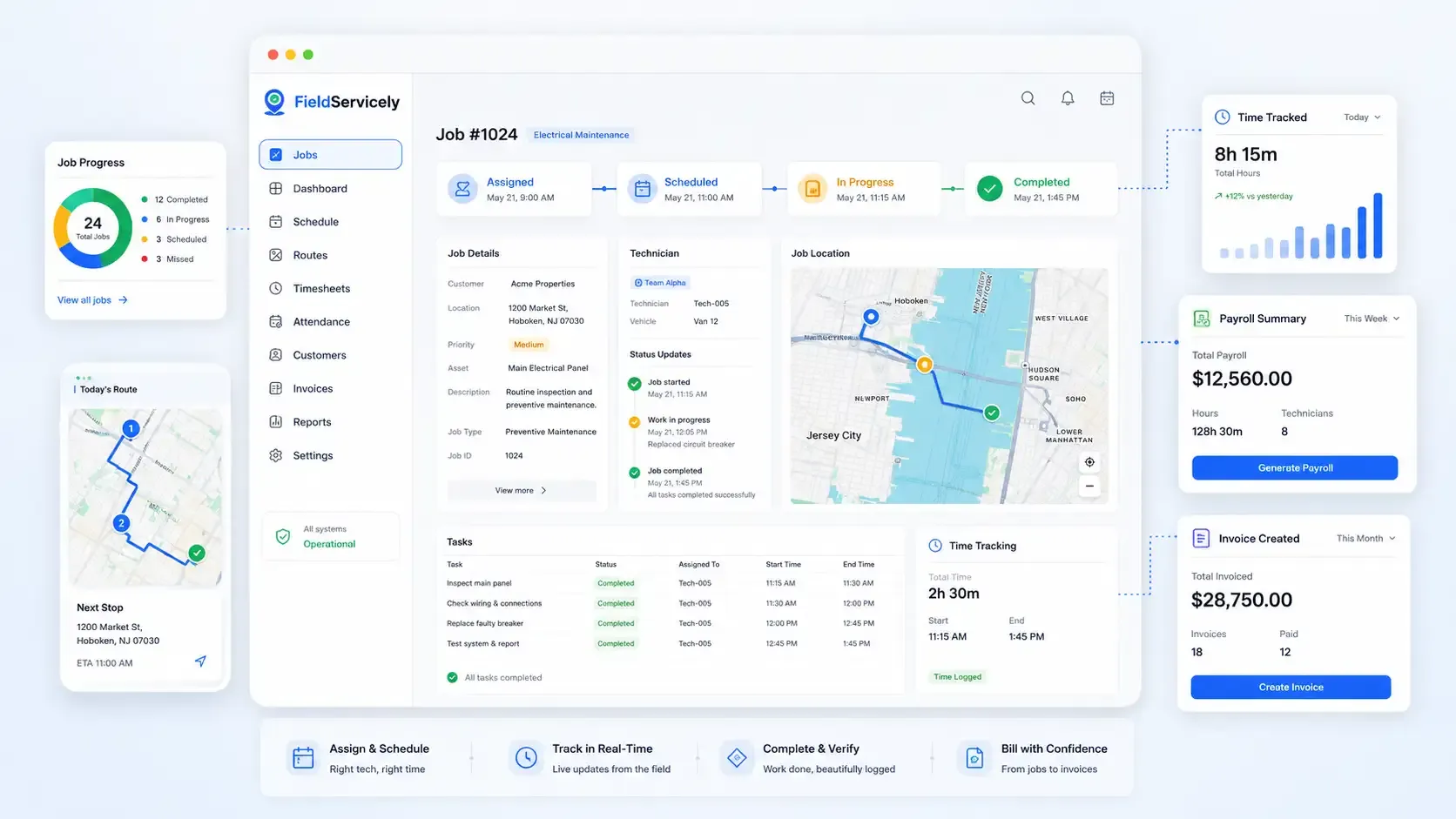
Service Teams Use FieldServicely Job Tracking Software to Stay on Top of Every Job
Job Tracker Software Built to Simplify Field Service Operations
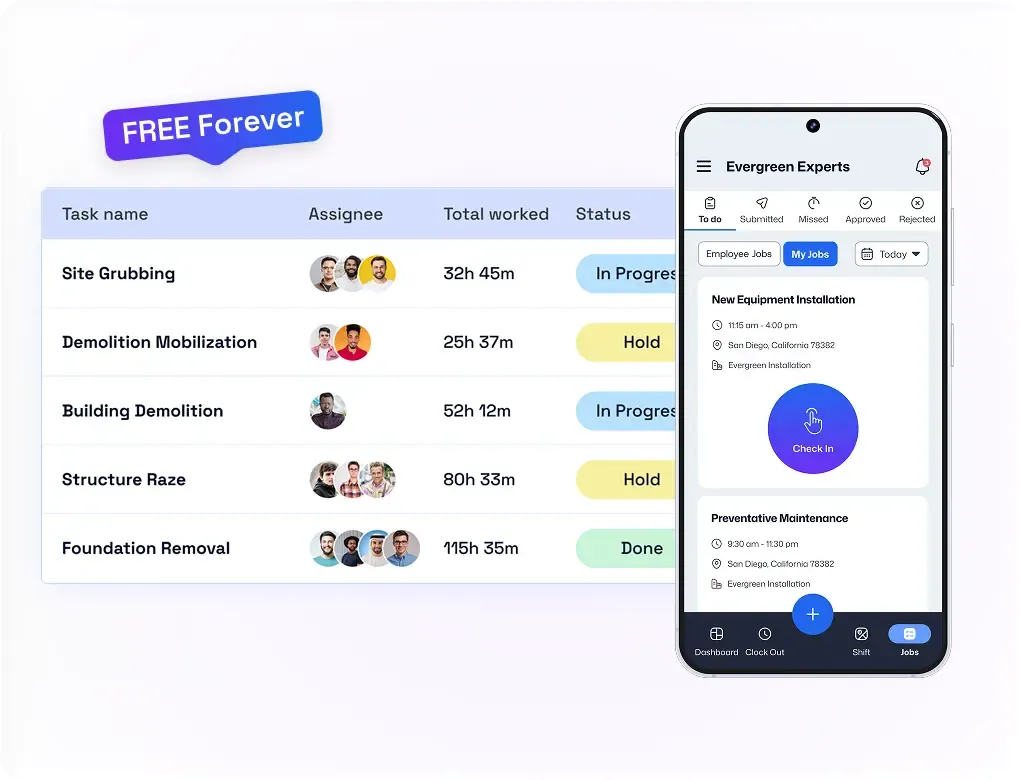
Job Management Dashboard
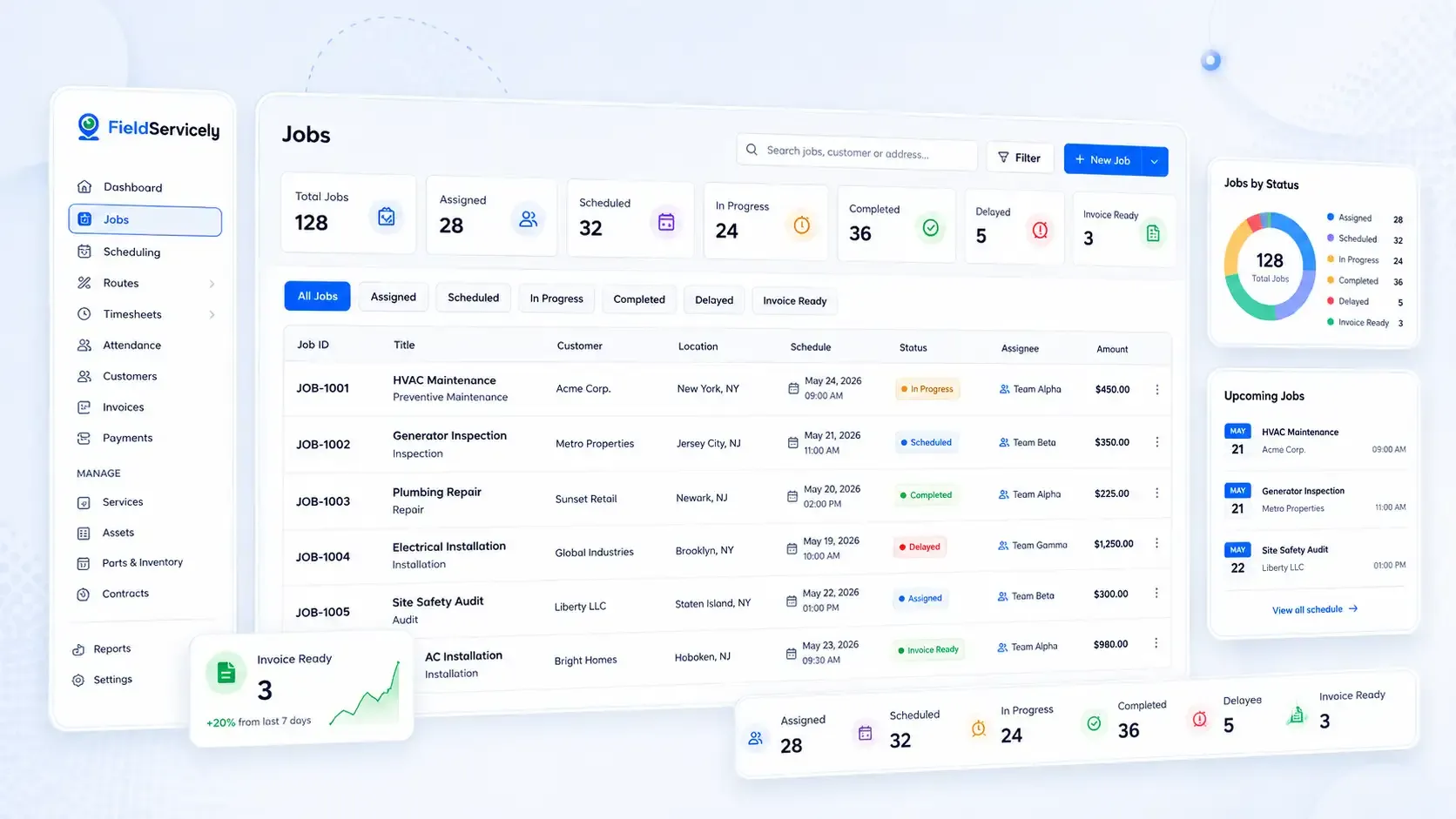
Track Every Service Job in One Place.
See assigned, scheduled, in-progress, completed, delayed, and invoice-ready jobs from one clean dashboard.
Job Assignment
Send the Right Crew to the Right Job.
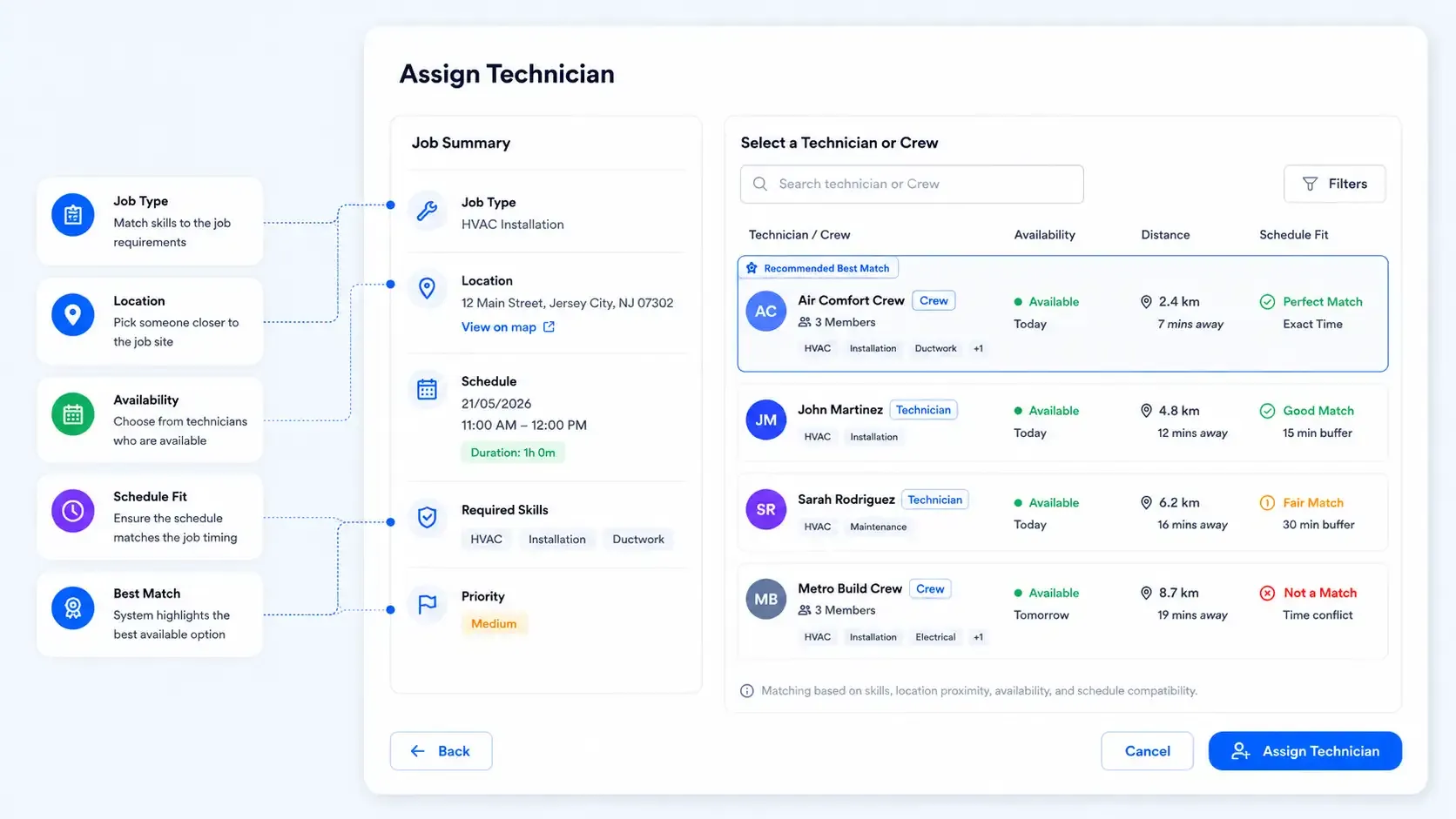
Assign jobs based on technician availability, skill, location, and workload.
Live Job Progress
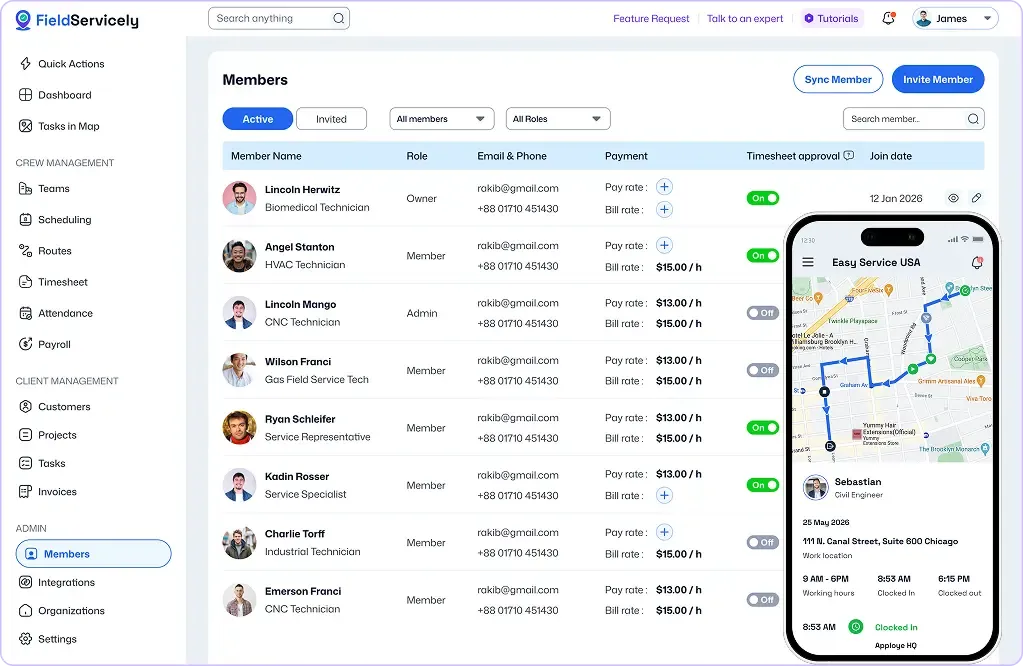
Know What’s Happening Without Calling the Field.
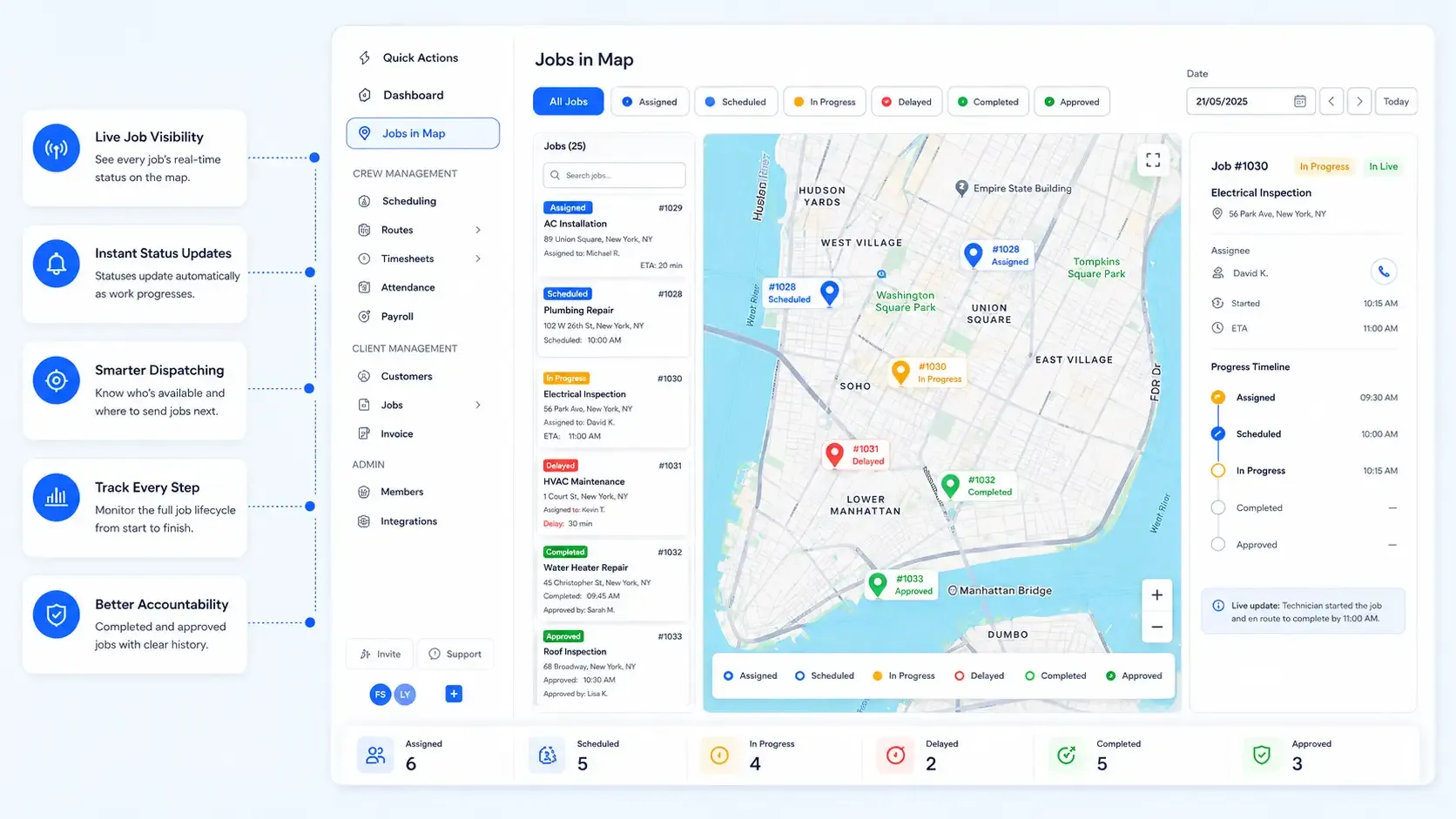
Track job status updates as technicians move from assigned to completed. Receive real-time notifications on job progress, task changes, and completions, so you’re always in the loop.

GPS Job Tracking
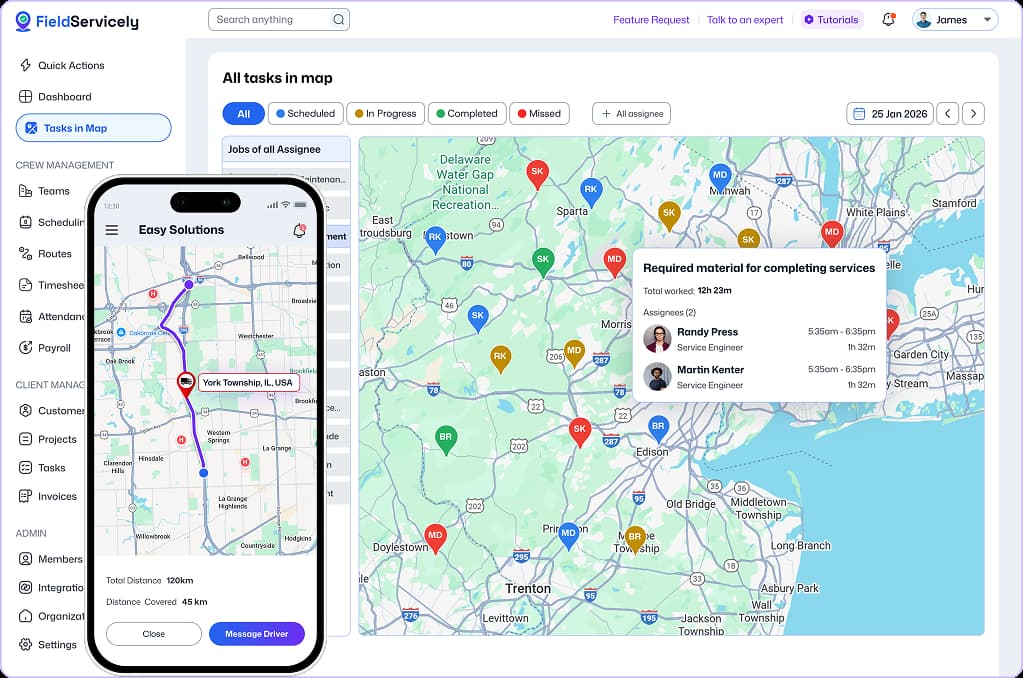
See Crews and Jobs on the Map.
Monitor field employee location and jobsite movement, so dispatch always stays clear.
Job Time Tracking
Track Hours Spent on Every Job.
Record job hours, breaks, overtime, and total labor time for each job.
Proof of Work
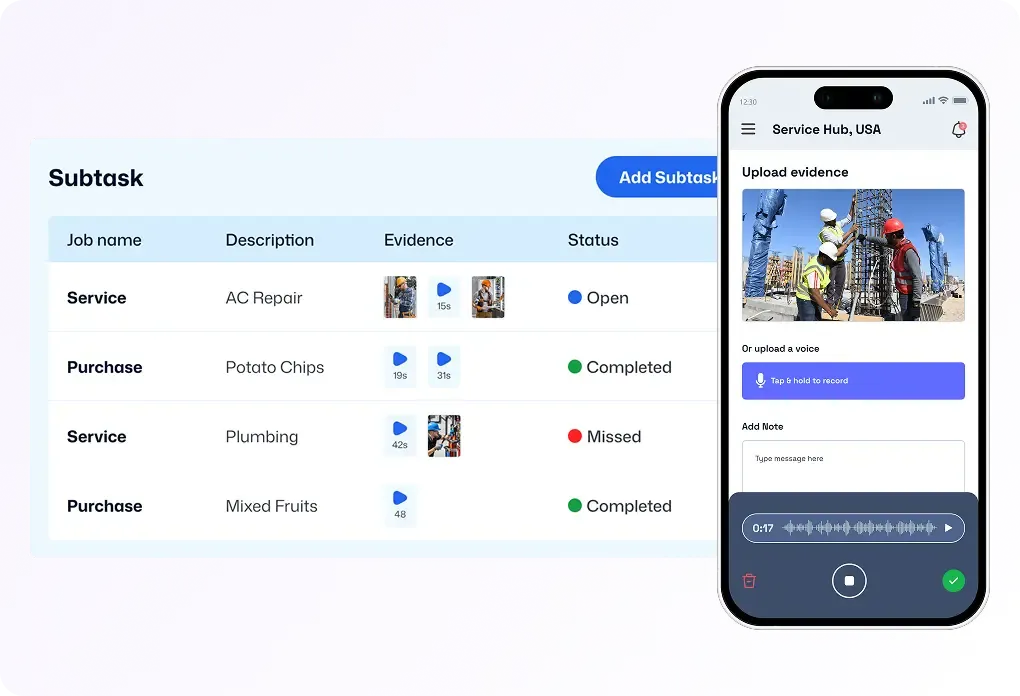
Get Clear Evidence Before Approving the Job.
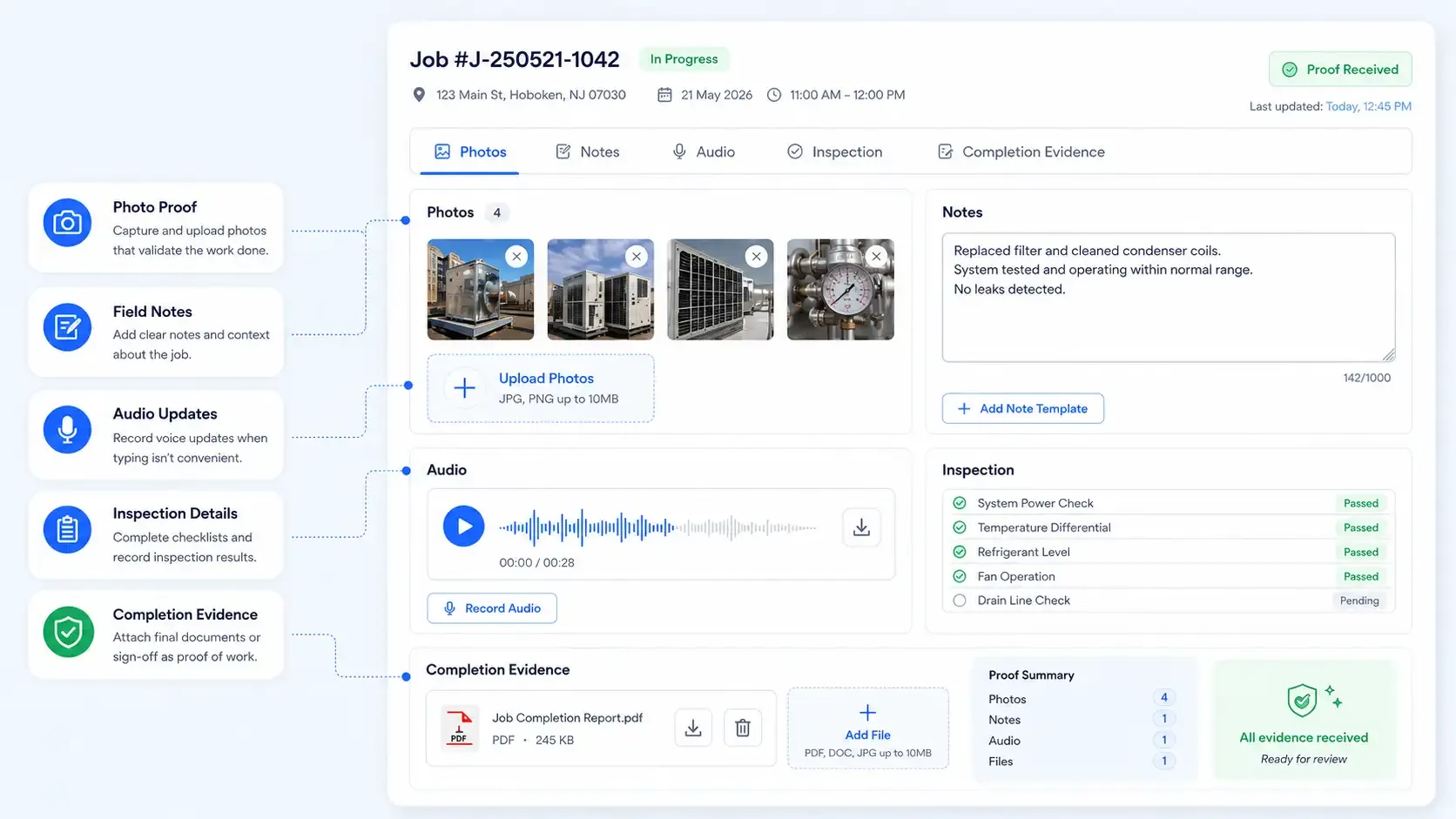
Collect photos, notes, audio, checklists, and completion details from the field.
Payroll & Invoicing
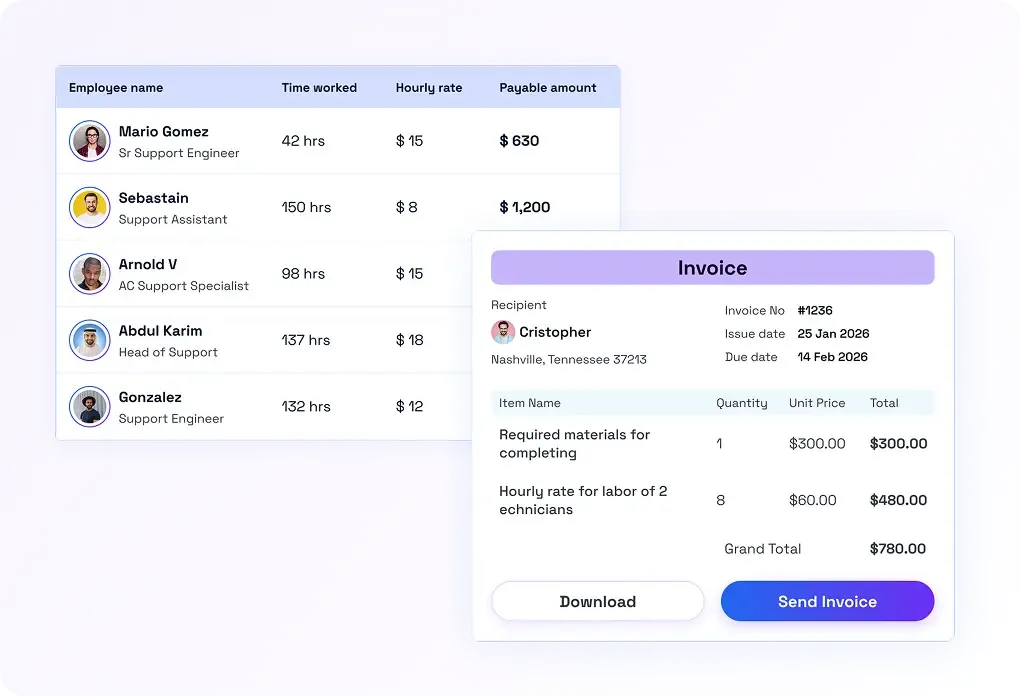
Turn Completed Jobs into Payroll and Invoices Faster.
Use job records, tracked time, and completion proof to calculate payroll and bill customers accurately.
Job Reports
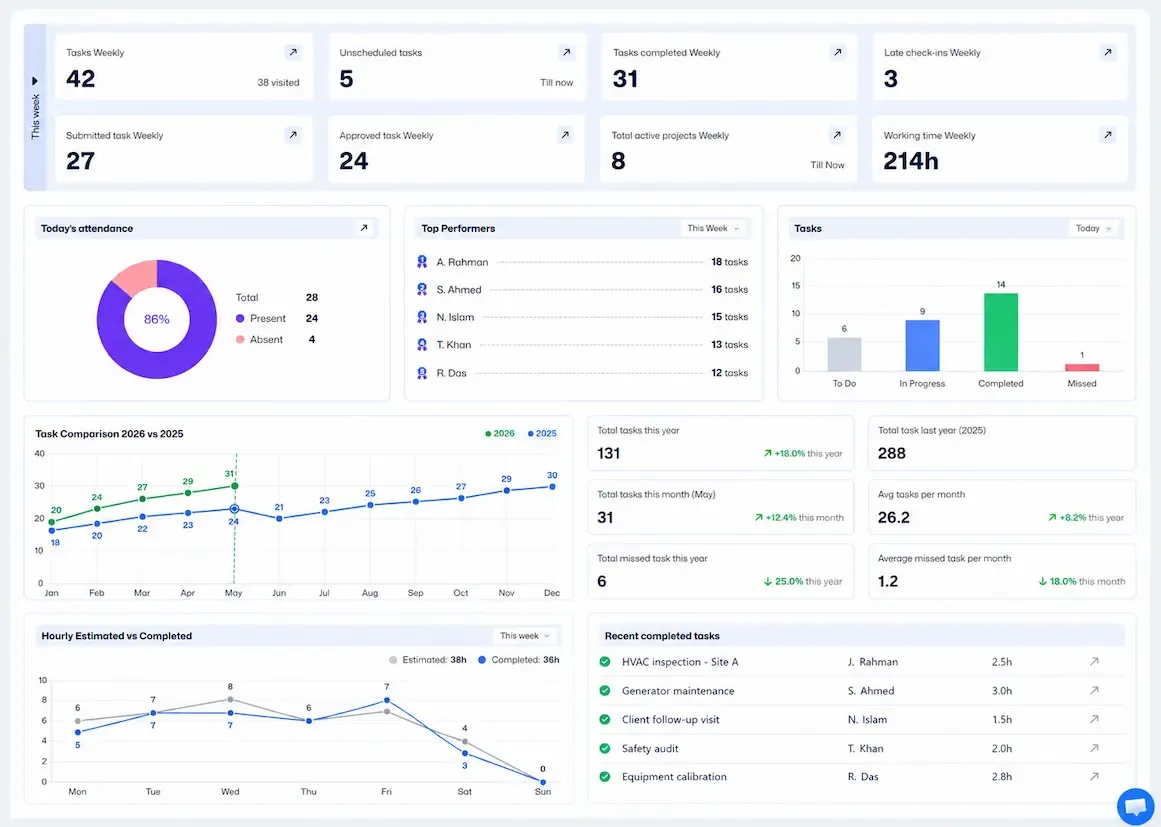
See Which Jobs, Crews, and Costs Need Attention.
Review job performance, completion trends, labor cost, and delayed work.
Try FieldServicely #1 Job Management Software
Try for free - No credit card required!
How FieldServicely Job Tracking Software Works
Step 1: Create a Job
Add customer details, job location, instructions, budget, and expected work hours.
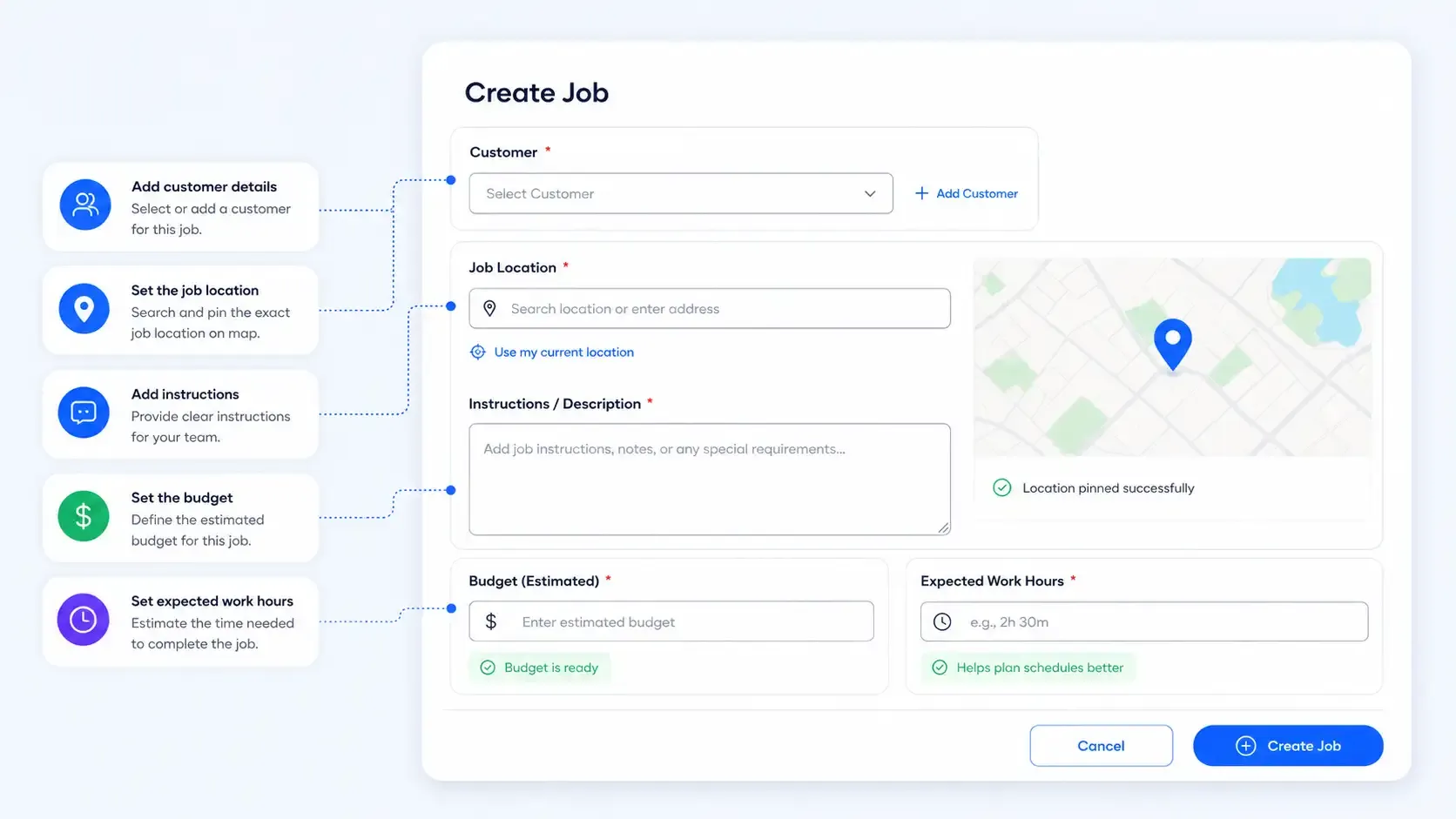
Step 2: Assign the Right Technician
Choose the available worker or crew based on job type, location, and schedule.
Step 3: Track Progress Live
See whether the job is assigned, scheduled, in progress, delayed, completed, or approved.
Step 4: Collect Proof from the Field
Let technicians upload photos, notes, audio, inspection details, or completion evidence.
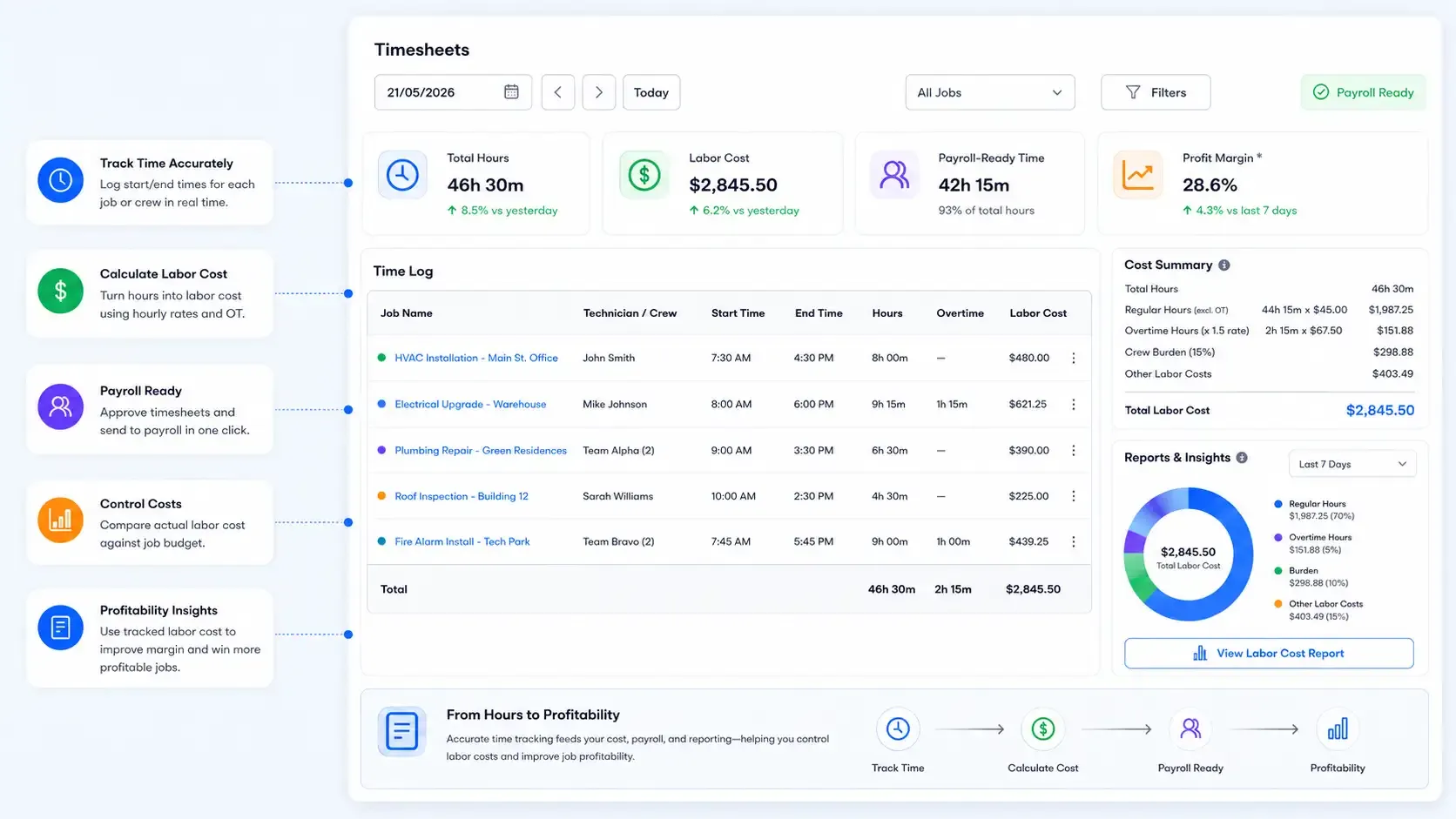
Step 5: Track Time and Labor Cost
Record jobsite hours and use them for payroll, cost tracking, and profitability reports.
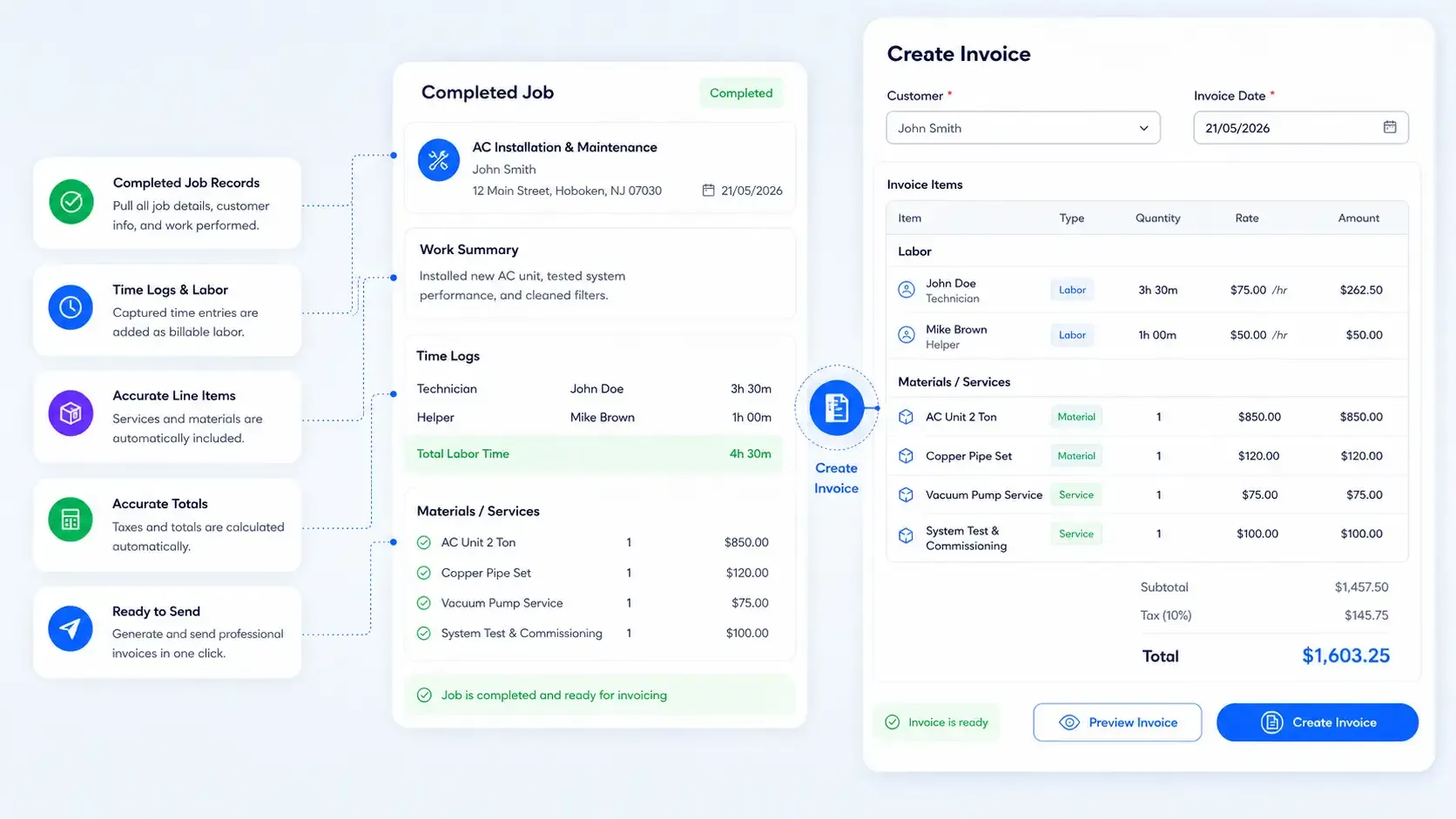
Step 6: Turn Completed Jobs into Invoices
Use completed job records, time logs, and work details to prepare accurate invoices.
Why FieldServicely is Better Than Generic Job Tracking Tools

Other Tools
Job Tracking

Tracks every job from assignment to completion.

They often track tasks, not real field jobs.
Job Status Updates
Shows if a job is assigned, in progress, delayed, or completed.
Status updates are often manual or unclear.
Technician Assignment
Helps assign the right technician to the right job.
They do not manage field crews well.
Live Job Location
Shows jobs and field workers on the map.
Most tools do not show live field visibility.
Job Time Tracking
Tracks hours spent on each job.
Time is often tracked separately from the job.
Proof of Work
Allows technicians to upload photos, notes, and job evidence.
They may only show “completed” without proof.
Payroll & Invoicing
Turns job records and tracked hours into payroll and invoices.
They often require manual data entry later.
FieldServicely Job Tracking Software Serves Your Business Needs
CONSTRUCTION * HVAC * CLEANING * JANITORIAL * PLUMBING * ELECTRICAL * LANDSCAPING
FAQs about Job Tracker Software
What is job tracking software?
It's a tool that helps businesses track jobs from start to finish. It lets you create jobs, assign workers, schedule work, monitor progress, track time, collect proof, and keep job records. For field service teams, it helps managers see what is happening in the field without calling technicians again and again.
Who uses job tracking software?
Job tracking software is used by service businesses that manage field jobs, mobile workers, or crews. It is useful for HVAC companies, cleaning businesses, janitorial teams, plumbing contractors, electrical businesses, construction crews, landscaping teams, pest control companies, and property maintenance teams.
What features should I look for in job tracking software?
When evaluating job tracking software, prioritize tools that offer real-time updates to keep everyone informed, robust job scheduling capabilities to handle assignments effectively.
Look for features that meet your team’s unique needs, team collaboration tools to improve communication, and detailed reporting features for analyzing performance and identifying areas for improvement. These features collectively ensure smooth operations from job initiation to completion.
How much does job tracking software cost?
FieldServicely offers a free plan for up to 100 users with limited features, making it an ideal solution for small teams or growing businesses seeking to enhance their workflow without incurring financial strain.
This free tier ensures you can leverage essential job tracking tools to streamline your operations without upfront costs.
As your team grows or your needs expand, FieldServicely provides flexible upgrade options to access additional features, ensuring scalability and long-term value.
How does FieldServicely help with job tracking?
FieldServicely helps you track every service job from assignment to completion. You can add job details, assign technicians, schedule work, and track job status. You can also monitor worker location, record time, collect proof of work, and use job records for payroll and invoicing.
Can I track job progress in real time?
Yes. FieldServicely lets you see whether a job is assigned, scheduled, in progress, delayed, completed, or ready for review. This helps office teams stay updated without waiting for phone calls or manual messages from the field.
Can I assign jobs to technicians with FieldServicely?
Yes. You can assign jobs to technicians or crews based on availability, location, skill, and workload.
Does FieldServicely include GPS job tracking?
Yes. FieldServicely helps you track field workers and job locations with GPS visibility. You can see where your technicians are, check job site movement, and make better dispatch decisions from the map.
Can technicians update jobs from the field?
Yes. Technicians can update job status, add notes, upload photos, submit proof of work, and record job-related information from the field. This keeps the office team informed and keeps job records organized.
Can I track time spent on each job?
Yes. FieldServicely helps you track work hours by job. You can see how much time each technician spends on a job and use that data for timesheets, payroll, job costing, and reporting.
Can job tracking software help with payroll and invoicing?
Yes. Since FieldServicely connects job records with tracked time and field updates, it helps make payroll and invoicing easier. You can use completed job details, work hours, and proof of work to prepare more accurate payroll and customer invoices.
Is job tracking software the same as work order software?
They are closely related, but not always the same. Work order software usually manages the job requests and work details. Job tracking software goes further by helping you track the full job journey. However, FieldServicely combines both for field service teams.
Is FieldServicely good for small service businesses?
Yes. FieldServicely is useful for small and growing service businesses. It gives you one system to manage jobs, workers, schedules, time, proof, payroll, and invoices.
Why is job tracking software essential for project management?
Job tracking software plays a pivotal role in successful project management by bringing organization, structure, and efficiency to complex workflows. It centralizes all project-related information, including task assignments, timelines, and progress metrics, in one easily accessible platform.
By monitoring job performance and ensuring transparency, the software enhances communication across teams, reduces mismanagement, and helps projects stay on schedule and within budget.
Ultimately, this leads to improved accountability, higher productivity, and increased profitability for businesses of any size.
Is there free job tracking software available?
Yes, FieldServicely provides free job tracking software. Whether you are a small team starting out or an established business seeking cost-effective solutions, FieldServicely’s free software empowers you to manage tasks efficiently without compromising on functionality.
