#1 Free Field Service Management Software
Track teams, manage work orders, handle timesheets, payroll, and invoices efficiently without the usual back-and-forth. Run your entire field operation from one place.
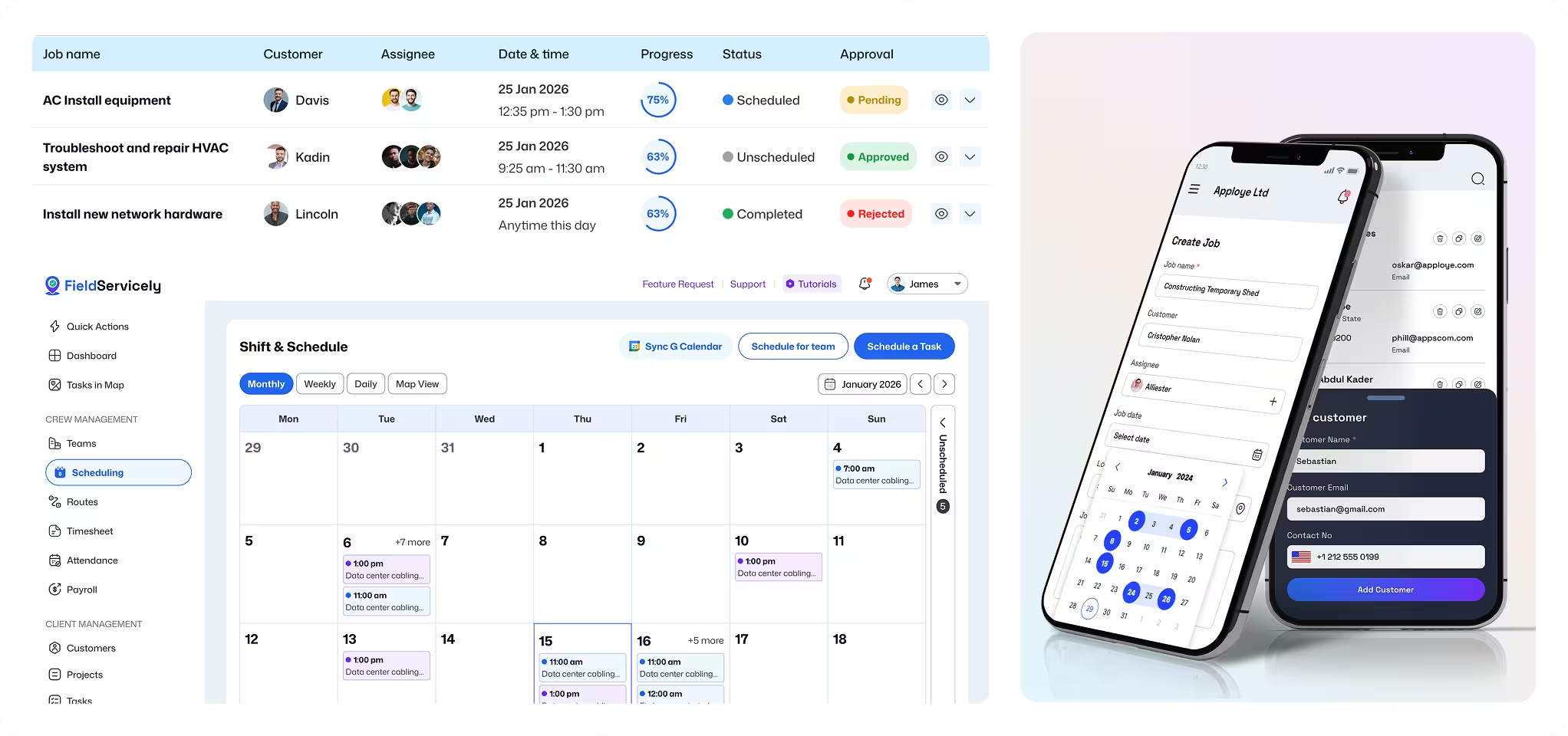
Boost Profits. Reduce Stress. Simplify Your Field Operations.
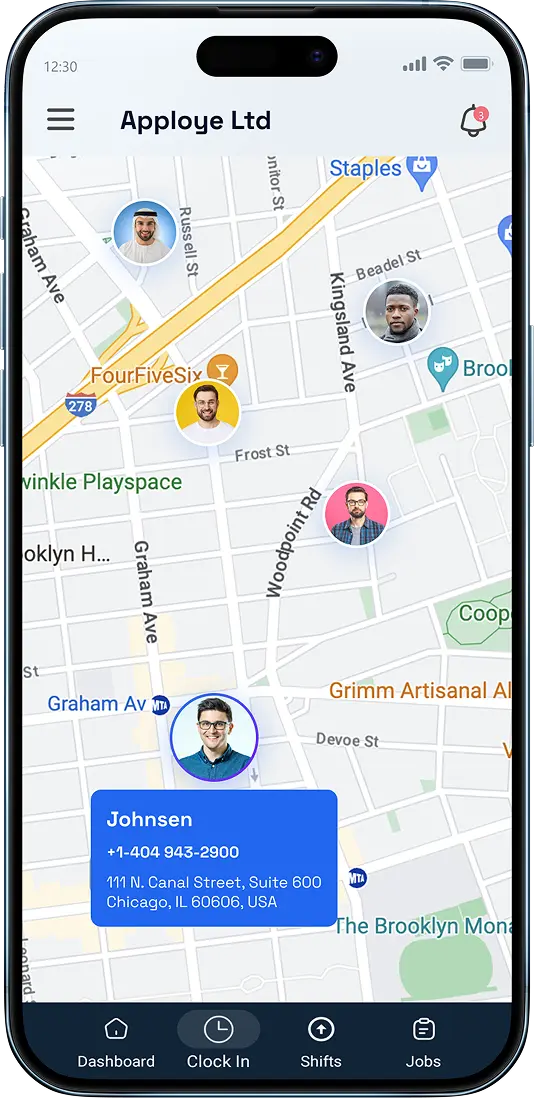
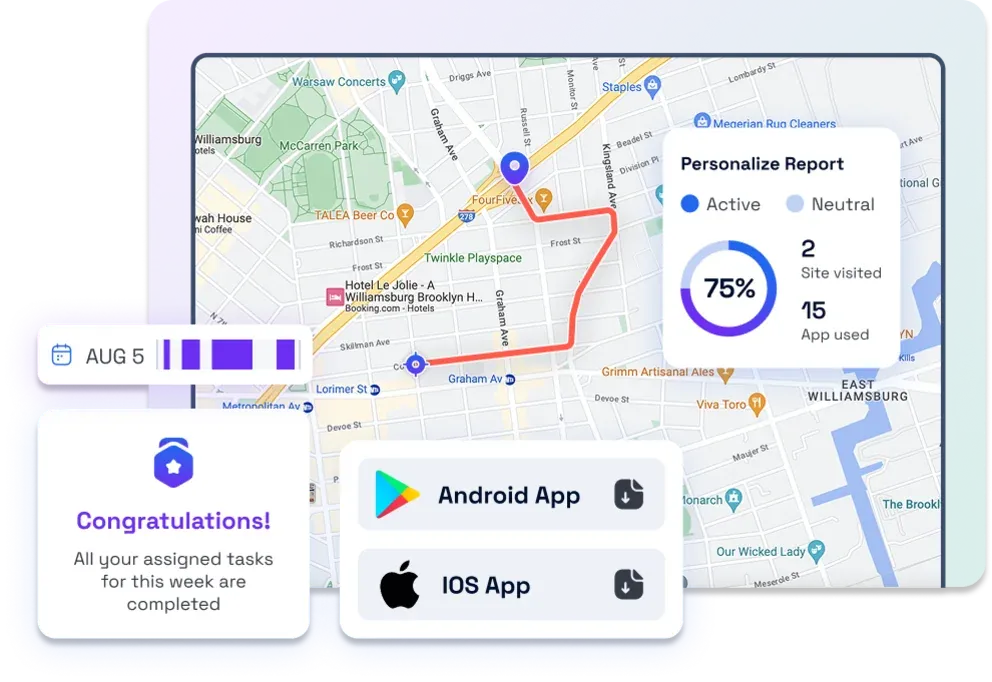
Live Location Tracking

The Only Field Service Management Platform for Every Scenario
Run Daily Field Operations from One Place
Manage scheduling, work orders, GPS tracking, timesheets, payroll, invoicing, and reports without jumping between systems.
Make Faster, Smarter Decisions
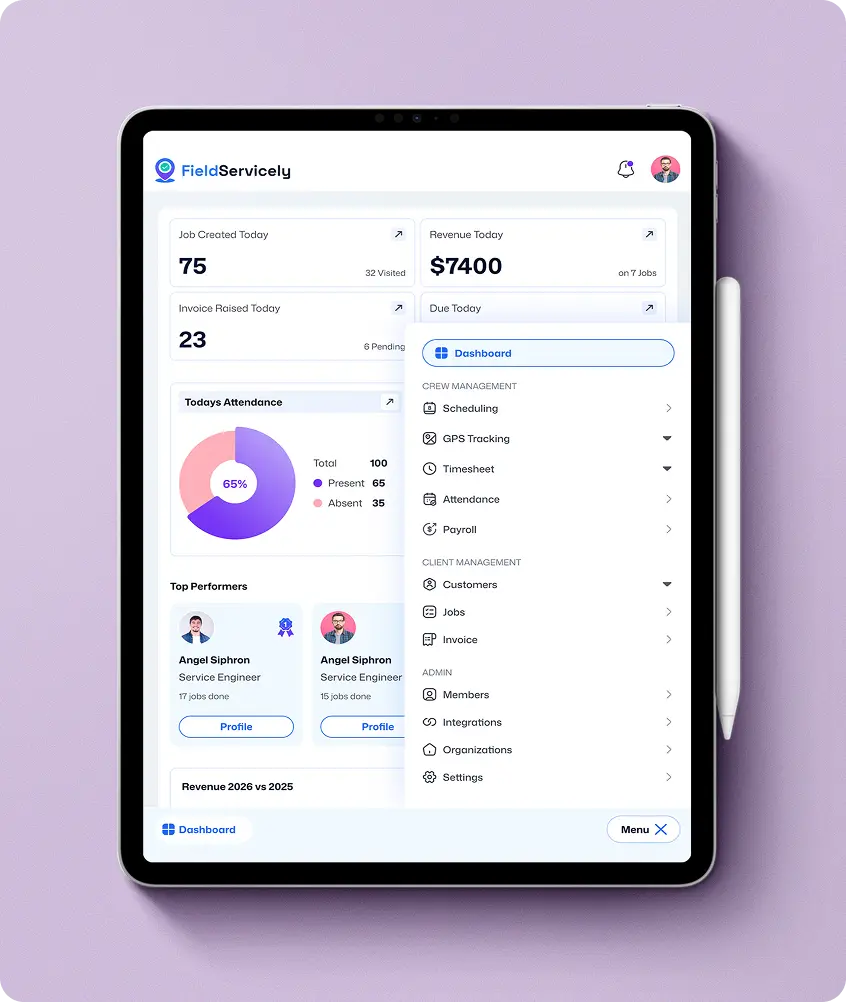
Use real-time visibility into jobs, locations, timesheets, approvals, and team performance to improve planning and respond faster.
Stay in Control as Business Grows
Track attendance, payroll history, workload, and operational trends from the dashboard to scale without losing visibility.
More Focus on Work
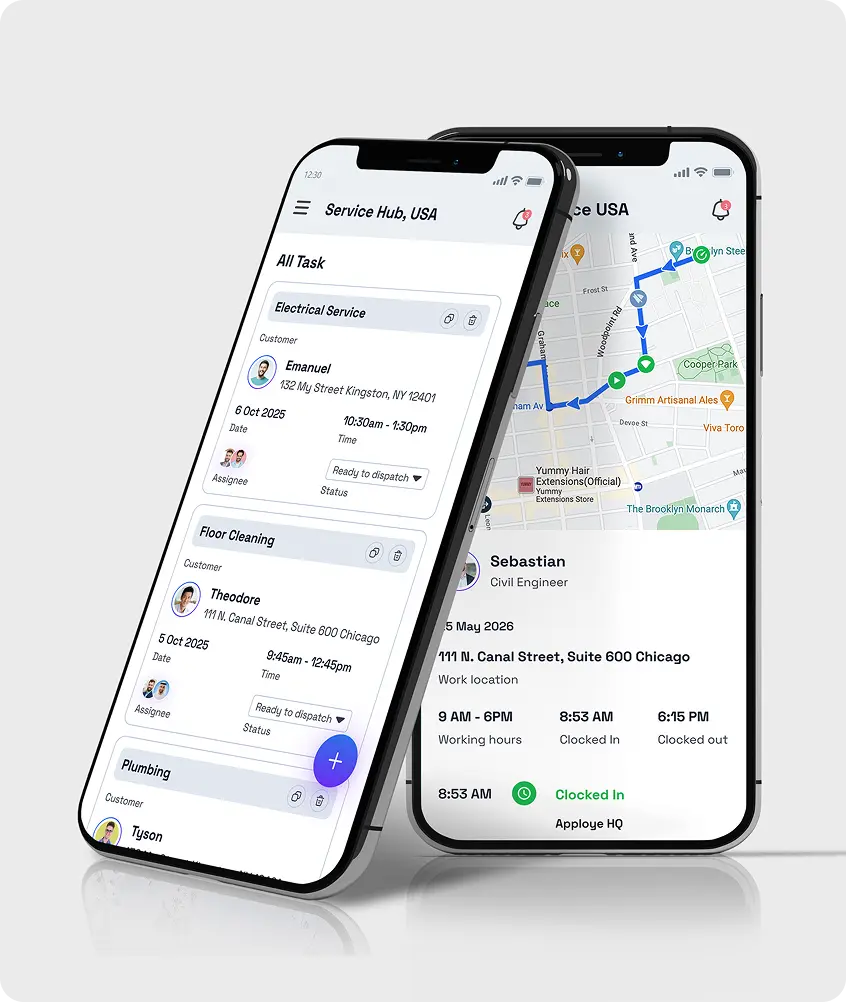
Technicians get clear assignments, job details, customer information, and updates in one mobile app.
Get Instant Job Details
The field service management mobile app shows job details, address, and customer information on the go.
Smooth Work Even in Offline
Connectivity limitations cannot interrupt daily operations. Techs can still access job information, record updates, and complete work as usual.
More Control Over Operations
See complete insights into jobs, teams, time, and field activity from the dashboard.
Less Manual Work Across the Business
Companies spend less time fixing admin issues when scheduling, work orders, timesheets, payroll, invoicing, and reporting are in one place.
Better Performance at Every Level
Cloud-based field service management software improves accountability, technician productivity, job visibility, and financial follow-through.
Clear Updates. Better Communication
Customers get faster and clearer updates as you get better visibility into field team activity and job status.
Faster Approvals and Payments
Capture completed work, labor, notes, and costs on the spot. So customer approvals, invoices, and payments move faster after every job.
Premium Service Experience
Accurate records, better job and crew visibility help your team deliver a smooth and trustworthy customer experience.

The Complete Field Management Service App to Power Your Business
Bring your office team and field crew together with the field management service software built for real work.
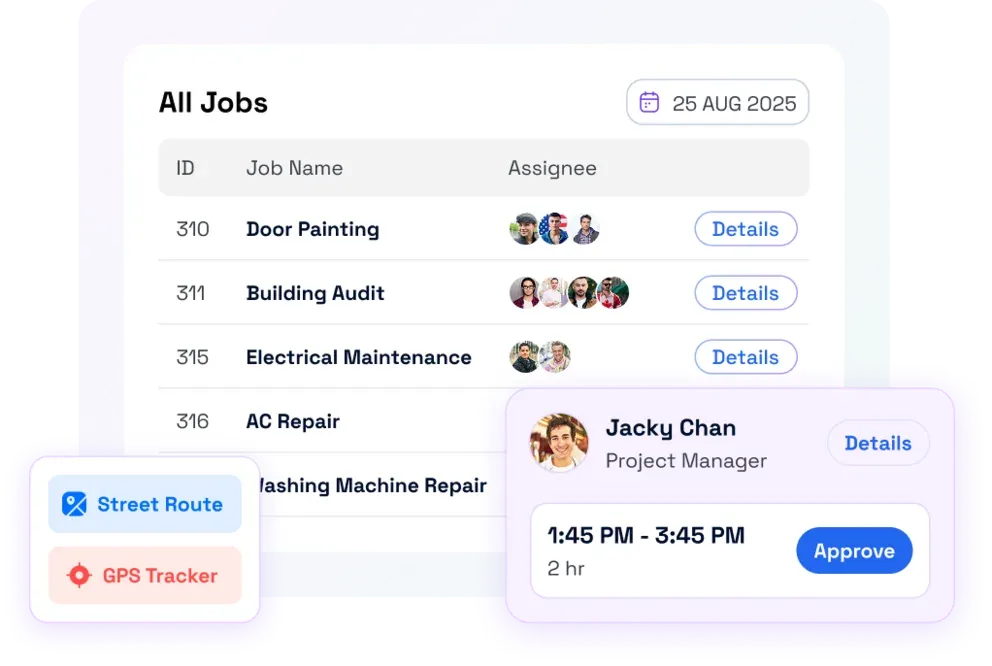
Stay Organized. Be on Schedule.
Minimize delays, eliminate confusion, and maximize productivity with smart job management.
Get Detailed Field Reports. Boost Team Performance.
Unlock the full potential of your field service operations. Identify trends, track technician performance, and optimize resource allocation in real time.

Faster Pay Runs. Satisfied Employees.
Simplify the payment process and send accurate invoices right from the web-based field service business management software.
See FieldServicely in Action
Just schedule a demo and see how FieldServicely makes field operations and job management smarter, faster, and easier.
INTEGRATIONS
FieldServicely Integrates Seamlessly with Your Favorite Software
Easily connect FieldServicely with your existing tools to automate timesheets, payroll, and simplify field operations.
INTEGRATIONS
FieldServicely Integrates Seamlessly with Your Favorite Software
Easily connect FieldServicely with your existing tools to automate timesheets, payroll, and simplify field operations.
INTEGRATIONS
FieldServicely Integrates Seamlessly with Your Favorite Software
Easily connect FieldServicely with your existing tools to automate timesheets, payroll, and simplify field operations.
INDUSTRIES
Built for the Teams Who Value Time & Productivity
Cleaning • Janitorial • Electrical • Plumbing • Handyman • Landscaping • HVAC
Manage high-volume jobs with organized scheduling, real-time visibility, and accurate job documentation.
- Job creation and technician assignment
- Real-time GPS tracking and route optimization
- Geofenced attendance with check-in selfies
- Job evidence capture (photos, audio, notes)
- Automatic Timesheets & payroll
- Instant invoicing from completed jobs

Reviews
Why Top Field Service Teams Choose Us
Recommended for GPS time tracking
I would have to say that construction time tracking is very easy with FieldServicely.
Sebastian R.
Director of Operations
FieldServicely makes managing field teams easier!
Scheduling jobs and tracking our team in real time is seamless. The mobile app is straightforward, and our field staff adapted quickly.
Rayaan H.
Administrator
Scheduling is finally easy
Drag-and-drop scheduling made it much easier to assign jobs and keep the whole team on track.
Daniel B.
Operations Manager
Dispatch works fast
The dispatch tools help us send the right technician faster and cut down on wasted travel time.
Maria C.
Service Coordinator
Real-time team visibility
GPS tracking gives us real-time visibility, so we always know where the field team is.
Kevin W.
Field Operations Supervisor
Better routes, less downtime
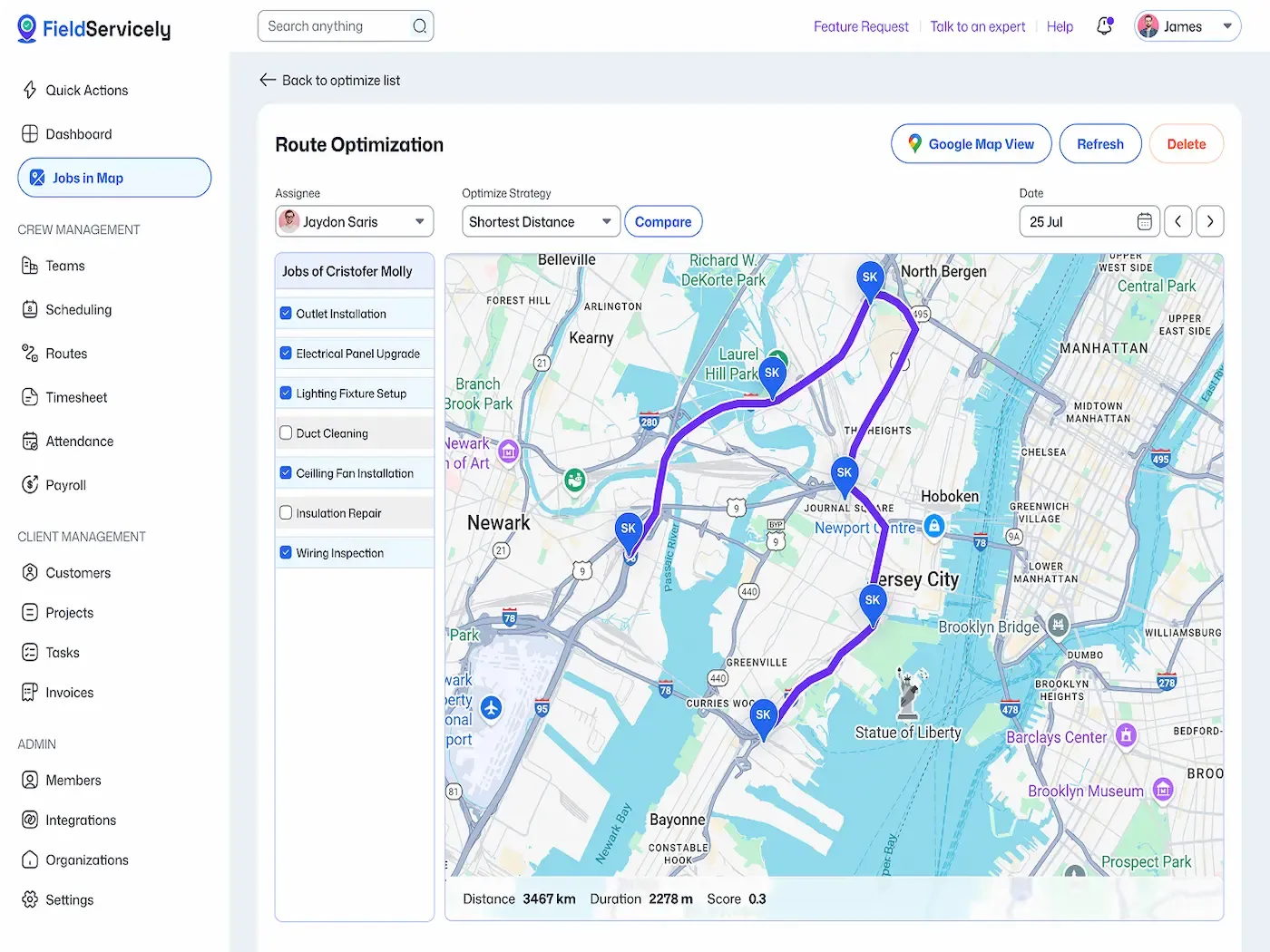
Route optimization helped us reduce drive time, fit in more jobs, and improve response times.
Ryan P.
Dispatch Manager
Work orders stay organized
Mobile work orders keep every job clear, organized, and easy for technicians to update on the go.
Samantha R.
Service Manager
Attendance proof is solid
Geofenced check-ins gave us better proof of attendance and much more confidence in our timesheets.
Owen M.
Workforce Compliance Lead
Invoicing is much faster
The invoicing flow is fast and simple, which helps us bill right after the job is done.
Natalie F.
Accounts Manager
Everyone stays updated
Real-time job updates keep the office team, field crew, and customers on the same page.
Jason M.
Customer Success Manager
Reporting is actually useful
The dashboard gives us a clear view of team performance, completed jobs, and day-to-day field activity.
Ethan C.
Business Operations Manager
Everything is in one place
This field service software helped us run scheduling, dispatch, tracking, and invoicing from one place
Lauren M.
General Manager
Recommended for GPS time tracking
I would have to say that construction time tracking is very easy with FieldServicely.
Sebastian R.
Director of Operations
FieldServicely makes managing field teams easier!
Scheduling jobs and tracking our team in real time is seamless. The mobile app is straightforward, and our field staff adapted quickly.
Rayaan H.
Administrator
Scheduling is finally easy
Drag-and-drop scheduling made it much easier to assign jobs and keep the whole team on track.
Daniel B.
Operations Manager
Dispatch works fast
The dispatch tools help us send the right technician faster and cut down on wasted travel time.
Maria C.
Service Coordinator
Real-time team visibility
GPS tracking gives us real-time visibility, so we always know where the field team is.
Kevin W.
Field Operations Supervisor
Better routes, less downtime
Route optimization helped us reduce drive time, fit in more jobs, and improve response times.
Ryan P.
Dispatch Manager
Work orders stay organized
Mobile work orders keep every job clear, organized, and easy for technicians to update on the go.
Samantha R.
Service Manager
Attendance proof is solid
Geofenced check-ins gave us better proof of attendance and much more confidence in our timesheets.
Owen M.
Workforce Compliance Lead
Invoicing is much faster
The invoicing flow is fast and simple, which helps us bill right after the job is done.
Natalie F.
Accounts Manager
Everyone stays updated
Real-time job updates keep the office team, field crew, and customers on the same page.
Jason M.
Customer Success Manager
Reporting is actually useful
The dashboard gives us a clear view of team performance, completed jobs, and day-to-day field activity.
Ethan C.
Business Operations Manager
Everything is in one place
This field service software helped us run scheduling, dispatch, tracking, and invoicing from one place
Lauren M.
General Manager
Try FieldServicely for Free
Start Managing Your Field Team Smartly
No credit card required
Simplify Field Operations & Maximize Efficiency
Real-Time Field Service Job Management Solution for Smarter Decisions
A feature-rich platform transforming how your team operates in the field.
Utilize Technicians More Efficiently
Take full charge of dispatching, tracking, and outcomes. Let's create a data-driven environment for growth.
- Create jobs, assign tasks, and track progress in real time.
- Know where the team is live and optimize dispatch based on location and route history.
- Quick scheduling and route planning for peak efficiency.


Total Accountability for Field Teams
Cloud-based time clocks, geofencing, and check-ins ensure transparency without micromanaging your team.
- Clock in/out only at job sites or the office.
- Track live movement and past routes for insights.
- Technicians submit photos/audio; managers approve tasks on the go.

Hit Deadlines & Simplify Billing - All in One App
Simplify your entire field operation from job completion to cash collection.
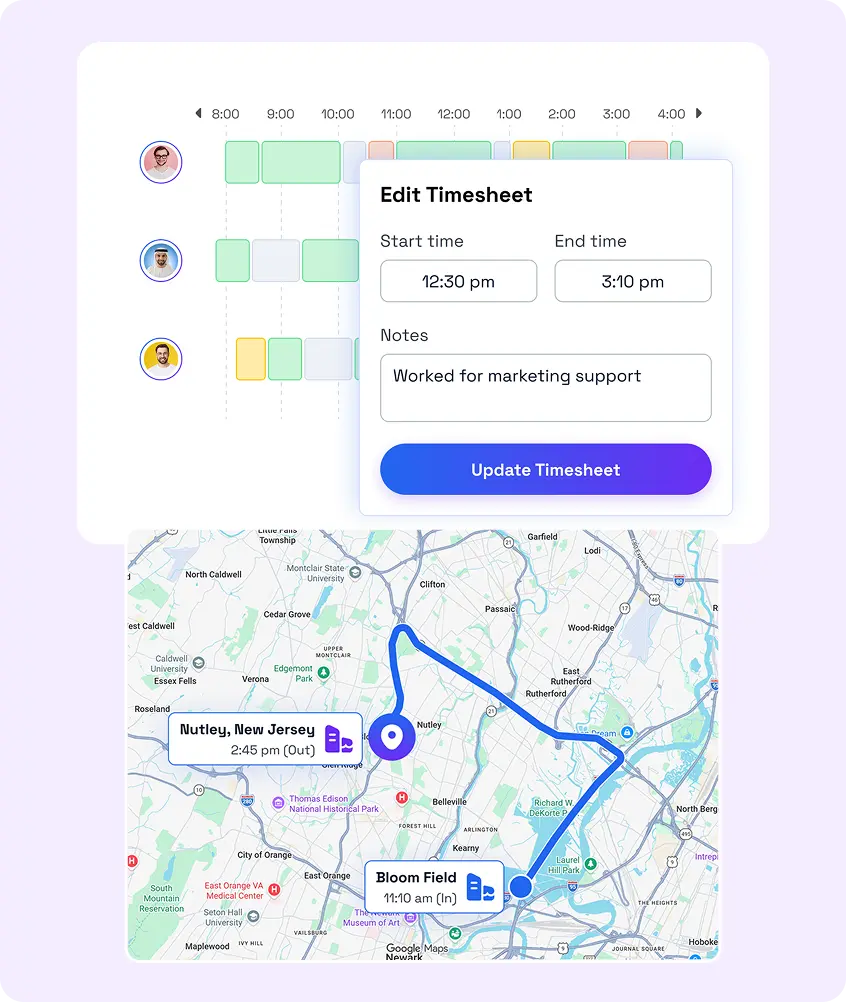
- Auto-fill logs, manual adjust, then approve/reject.
- Payroll is calculated automatically based on hours & rates.
- Issue invoices, include taxes or discounts, and integrate with accounting tools.

Actionable Reporting for Technician Tasks
Gain clarity on performance and costs using insightful dashboards and robust reporting.
- See job counts, late arrivals, and tech performance at a glance.
- Analyze trends, customer history, time logs, and expenses outside the app.
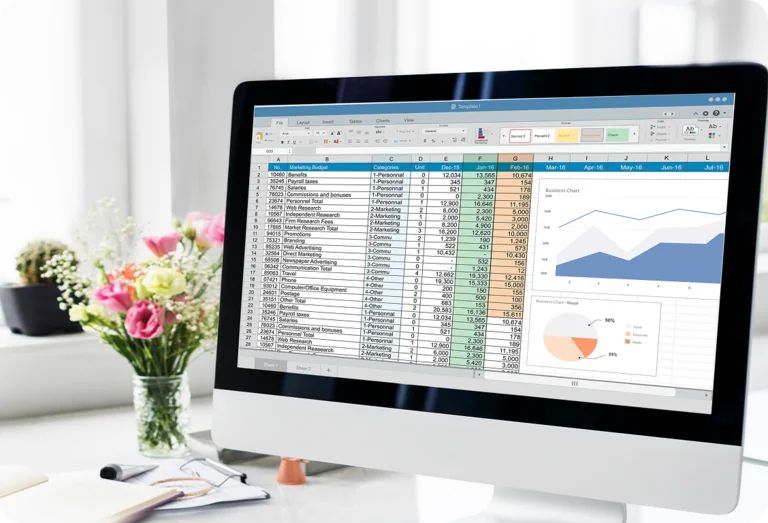
Manage Your Field Service Business from Anywhere, Anytime
Stay connected to field operations from any device - desktop, Android, or iOS.
- Field staff can check in, submit evidence, receive dispatches, and chat in real-time.
- Continue work without connectivity and data syncs later when back online.

The Ultimate Guide for Field Service Management App
This guide answers all your questions and queries on field service management solutions. Get a firm grasp on field employees management and performance optimization techniques for your entire team.
The Ultimate Guide to Field Work Management Software
|
FieldServicely
Introducing FieldServicely
Running a service business gets messy fast. Jobs come in all day. Technicians move from one site to another. Dispatchers juggle changes. Customers want updates. Invoices need to go out on time.
That is why many service companies now use an app for field service management.
FieldServicely gives you one place to manage the whole job cycle. You can handle scheduling, dispatching, work order management, invoicing, service history, asset management, customer communication, and reporting in one system. Your office team and field team stay connected. Your jobs move faster, and customers stay informed.
If you are searching for software for field service management, this guide will help. It explains what the software does, what features matter, and how it helps service teams grow.
Some people also search for field management service software or software for field service management. They all mean the same thing. They want a better way to manage service requests, field technicians, route planning, and service delivery.
What is field service management software?
If you are asking what field service management software is, the answer is simple. It is software that helps service businesses plan, assign, track, and complete work in the field.
Many buyers also search for what field service management software is. before they compare tools. The answer stays the same. It is a centralized platform that connects your office team, mobile workers, dispatchers, and field technicians.
You can use it to manage:
- Scheduling
- Dispatching
- Service requests
- Job management
- Work order management
- Technician management
- Route optimization
- GPS time tracking
- Real-time tracking
- Quotes/estimates
- Billing and invoicing
- Service history
- Asset management
- Inventory management
- Customer communication
- Reporting
- Analytics
In short, it helps service teams work in a smarter way.
Why Businesses Use Field Service Software?
Service work moves fast. A missed update can delay a job. A wrong task assignment can waste hours. A late invoice can hurt cash flow.
The main benefits of a field service app are clear. It helps teams respond faster, reduce manual work, improve customer satisfaction, and raise field productivity.
It also helps companies:
- Improve service workflow
- Speed up job completion
- Support better service delivery
- Raise operational efficiency
- Reduce truck rolls
- Increase first-time fix rate
- Improve technician productivity
- Lower operating costs
- Increase profitability
- Improve equipment uptime
- Improve issue resolution
- Support digital transformation
When teams use one centralized platform, they get better service visibility and real-time insights. This makes daily work easier for service managers, operations managers, dispatchers, field technicians, and service teams.
The Field Service Management System Features that Matter the Most
Strong field service management software features should help your team do real work, not just store data.
Here are the features that matter most:
Scheduling and dispatching
Scheduling and dispatching are the core of field service work. Good software should offer drag-and-drop scheduling, intelligent scheduling, automated dispatch, resource allocation, and skills-based assignment.
It should also support service territories, technician availability, task assignment, and route planning. These tools help dispatchers send the right person to the right job at the right time.
Work Order Management
Work order management keeps each job clear from start to finish. Your team should be able to create service requests, assign work, update job status, and close jobs without confusion.
It should also support recurring work orders, maintenance templates, service reports, and service history.
Mobile App for Field Teams
A good mobile app matters. That is why many companies look for mobile field service management software.
Field technicians need mobile access to job details, customer notes, service history, digital forms, photo attachments, document capture, and e-signature. An offline mobile app also helps when the internet is weak at the job site.
Real-time Tracking and Route Control
Real-time data helps teams make better decisions. Good tools should include real-time tracking, GPS tracking, route optimization, fleet tracking, vehicle tracking, warehouse tracking, and customer site tracking.
These features help improve service execution, service visibility, and uptime optimization.
Customer and Communication Tools
Customers want updates. Good software should support customer communication through customer notifications, text notifications, and call, text, and email communication.
A customer portal is also helpful. It gives customers a simple way to view job status, service reports, and updates.
Asset, Parts, and Maintenance Tools
Service teams need more than a calendar. They also need asset management, asset lifecycle management, parts management, parts availability, inventory management, and preventive maintenance scheduling.
The best tools also support maintenance plans, service contracts, warranty management, warranty entitlements, and contract management.
Billing and Payments
Good software should make billing simple. It should support quotes/estimates, labor tracking, invoicing, paperless invoicing, and payment processing.
When billing moves fast, cash flow improves too.
Reporting and Analytics
Managers need clear numbers. Good software should include dashboards, KPI reporting, workflow visibility, reporting, analytics, real-time data visibility, and operational profitability tracking.
These tools help teams improve service quality over time.
How Field Service Management App Helps Your Team Each Day
A strong system makes daily work easier. For example, dispatchers can see open jobs, service teams, route planning, and technician availability in one view. Field technicians can open the mobile app, check service history, capture notes, add photos, and complete the job from the field.
Service managers can review dashboards and analytics without chasing paper or calling for updates.
This makes the service workflow faster and cleaner. It supports better appointment scheduling, faster issue resolution, smoother service execution, and better job completion.
It also improves customer satisfaction because customers get faster service and better communication.
Field Service Management Solution for Small Business
Small teams need simple tools that work fast. They do not need a system that feels heavy or hard to use.
The best field service solution for small businesses should be easy to learn, quick to set up, and flexible enough to grow with the business. It should help with scheduling, dispatching, invoicing, customer communication, and route planning without adding extra stress.
For small businesses, the right platform can:
- Reduce admin work
- Improve job completion
- Support better service delivery
- Improve technician management
- Raise customer satisfaction
- Give owners real-time insights
Cloud Tools and Remote Access
Many service businesses now prefer cloud-based field service apps because they are easy to access from anywhere.
Basically, they want live updates, easier setup, and less IT work. Cloud tools let office teams and mobile workers work from the same data at the same time.
This matters for scheduling, dispatching, invoicing, and reporting. It also helps with field collaboration and real-time data visibility.
Some businesses search for dispatch field service cloud management software when dispatch speed is their top need. A cloud setup helps dispatchers react fast when jobs change during the day.
Free and Open Source Options
Some companies start with a small budget. That is why many buyers look for free field service management software.
To be honest, free tools are a godsend for startups. They are great for simple scheduling, job tracking, or basic invoicing. However, they often lack deeper features like preventive maintenance, contractor management, reporting, asset tracking, and workflow automation.
That said, other buyers who search for open source field service management software often want more control and customization.
Open source can work well for technical teams. But it needs more setup, maintenance, and support. This is one of the reasons why many service businesses choose cloud software, as it is easier to launch and manage.
Field Service Management and Scheduling Software for the Full Job Cycle
Good field service management and scheduling software should cover the full service cycle.
It should help you:
- Receive service requests
- Assign jobs
- Manage scheduling
- Dispatch technicians
- Track service execution
- Capture service reports
- Send quotes
- Create invoices
- Collect payments
- Update customers
When all of this works in one system, teams move faster. They also get better workflow visibility, better service visibility, and stronger operational efficiency.
Field Service Call Management Software for High-Volume Teams
Field Service Call Management Software for High-Volume Teams
Some companies start every job with a phone call. That is where field service call management software becomes useful.
It helps call center reps and dispatchers capture service requests, create work orders, review service history, and assign the job quickly.
This is useful for busy service teams that handle urgent calls, repeat customers, and a high number of daily jobs.
Field Service Project Management Software for Larger Jobs
Not every job is short and simple. Some jobs take days or weeks. Some need contractors, many visits, and detailed planning. That is where field service project management software helps.
It gives teams a better way to manage labor tracking, contractors, service tasks, customer updates, and job stages from one system. It also helps with resource allocation, field collaboration, and workflow visibility.
FSM Software Industry Use Cases
Field service software helps many service industries. The exact need may change, but the core goal stays the same. Teams want better control, better service delivery, and better customer communication.
HVAC
HVAC field service management software helps HVAC companies manage seasonal demand, maintenance plans, recurring work orders, equipment service history, preventive maintenance, and warranty work.
Plumbing and Electrical
These teams need fast scheduling, quick dispatching, easy invoicing, route planning, and mobile access in the field.
Property Maintenance and Cleaning Services
These companies often need recurring work orders, maintenance templates, contractor management, and customer site tracking.
Telecom, Utilities, and Energy Services
These teams often rely on GPS tracking, service territories, real-time tracking, compliance tracking, and workforce management.
Healthcare and Medical Devices
These industries need strong service history, asset lifecycle management, uptime tracking, remote support, and warranty entitlements.
Manufacturing, Oil and Gas, Real Estate, Building and Construction, Engineering, and Transportation
These teams often need preventive maintenance, asset management, inventory control, contractor management, and strong reporting.
Ideal Integrations for FSM Solution
Gusto
Payroll and people management affect field service work. That is why Gusto can be a useful integration for a field service management solution.
When your field service platform connects with Gusto, your team can keep employee records, pay data, and work hours more organized. This helps service managers track labor costs more clearly and reduce admin work.
A Gusto integration can also help with onboarding, payroll, benefits, and contractor payments. That matters for service teams that manage field technicians, mobile workers, office staff, and contractors across many jobs.
When HR and payroll data stay in sync with your field service system, your business gets better visibility into labor tracking, workforce management, and operational efficiency. It also helps reduce manual entry and supports smoother back-office operations.
QuickBooks
Accounting links save time. That is why many buyers search for field service management software quickbooks.
Others search for field service management software compatible with QuickBooks because they want a smoother flow between estimates, invoices, customer records, and payments.
When your field service system connects with accounting, your team spends less time on manual data entry. It also helps billing move faster and reduces errors.
CRM and ERP integration
Field service work touches many parts of the business. That is why CRM integration and ERP integration matter.
CRM integration helps teams keep customer details, service history, contact database records, and communication in sync. ERP integration helps with inventory, billing, finance, and service operations.
These connections improve service workflow and create better real-time insights.
How to Choose the Best Field Service Management Software
The best field service management software should fit the way your team works. It should help you schedule faster, dispatch smarter, manage work orders, improve customer satisfaction, and grow with less chaos.
When you compare options, check for:
- Scheduling and dispatching
- Mobile app quality
- Work order management
- Route optimization
- Service history
- Asset management
- Inventory management
- Preventive maintenance
- Customer communication
- Reporting and analytics
- Invoicing and payments
- CRM integration
- ERP integration
- Contractor management
- Pricing
- Reviews
- Demo quality
This is also what buyers mean when they search for top field service management software.
Field Service Business Software Reviews, Pricing, and Demos
Many buyers go through the reviews of field service solutions before they book a demo.
That makes sense as reviews help buyers learn how the software works in real life. They can show how well a tool handles scheduling, dispatching, mobile access, reporting, customer communication, and invoicing.
Pricing matters too. Small teams want value. Growing teams want tools that can scale. A good demo should show real workflows, not just polished screens.
Field service management software in Australia
People from Australia naturally search for field service technician software in Australia. This is also known as tradies management tool when they want a solution that support local service operations, large travel zones, mobile teams, and strong invoicing support.
The core needs stay the same. They still need scheduling, dispatching, real-time updates, and better service visibility.
Why FieldServicely Fits Modern Service Teams
FieldServicely helps service businesses run faster and with less stress. It gives you one place to manage scheduling, dispatching, work order management, service history, customer communication, invoicing, and reporting. It supports field technicians, dispatchers, mobile workers, contractors, and service managers.
It also helps your team:
- Improve service delivery
- Increase job completion
- Improve customer satisfaction
- Improve field productivity
- Reduce manual work
- Improve technician productivity
- Reduce delays
- Support maintenance operations
- Improve equipment uptime
- Increase profitability
If your team wants a better way to run daily service work, FieldServicely gives you that system.
Also, if you want a simpler, faster, and smarter way to run your service business, you need a mobile field service software that works for your full team.
You need one system for scheduling, dispatching, work order management, service requests, mobile access, invoicing, reporting, and customer communication.
